Console
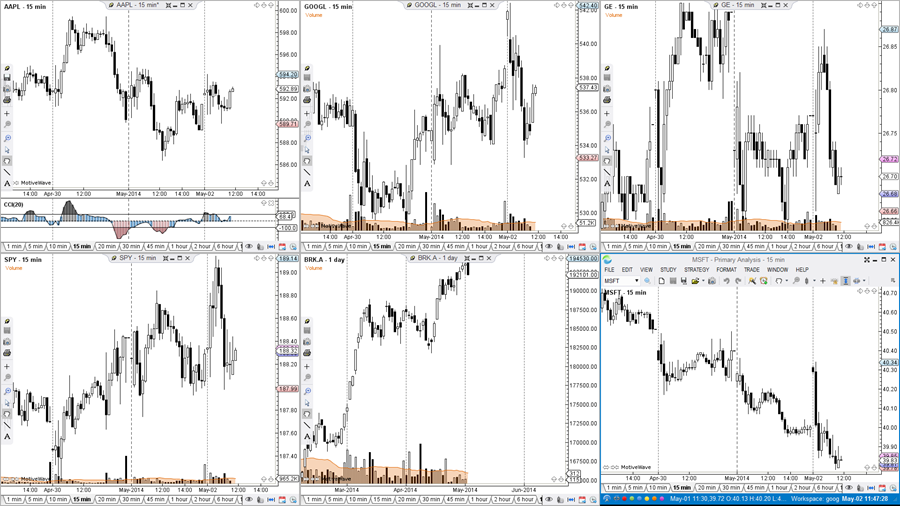
Use the console to organize your charts, watch lists and other utilities all within one window. The console comes with a default set of pages and layouts. Customize it to meet your specific needs.
Pages
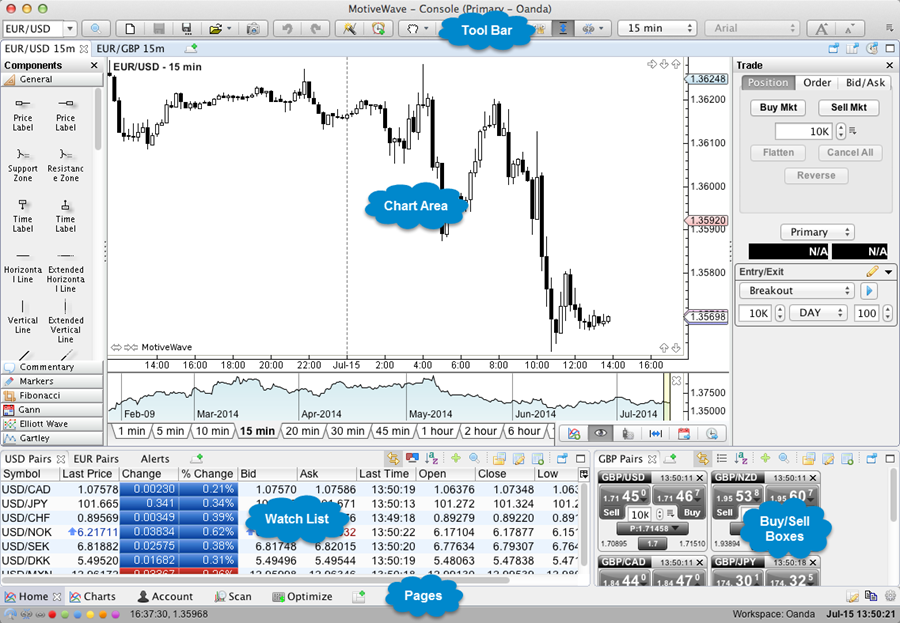
Pages allow you to organize and manage different layouts all within a single window. Use the Page Bar at the bottom of the Console window to switch between layouts. Several pages are created as part of the default layout. You may add, remove or modify these pages to customize to your unique preferences.

Flexible Layouts
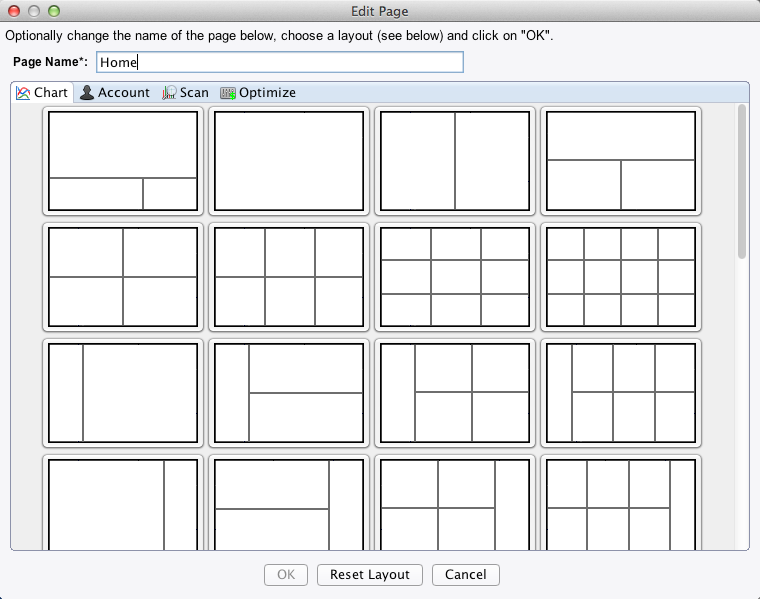
For your convenience, MotiveWave provides several built-in page layouts for you to choose from. Click on the Edit Page button to select a different layout from several different categories.
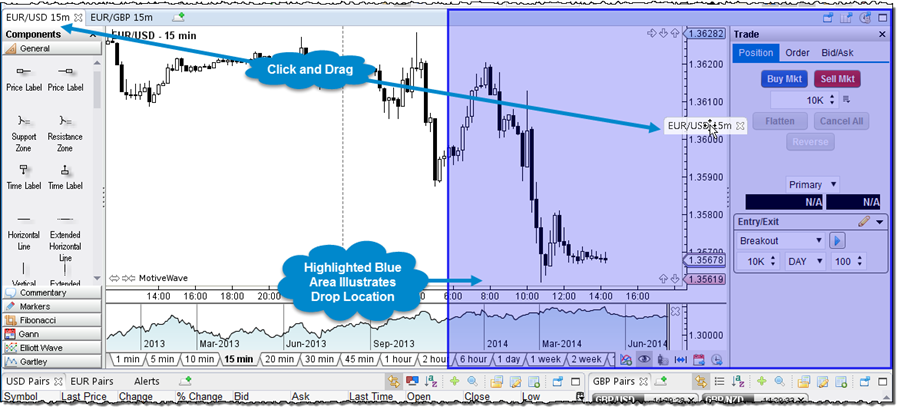
Alternatively, click and drag the tabs in the page to arrange it however you like.
Panels
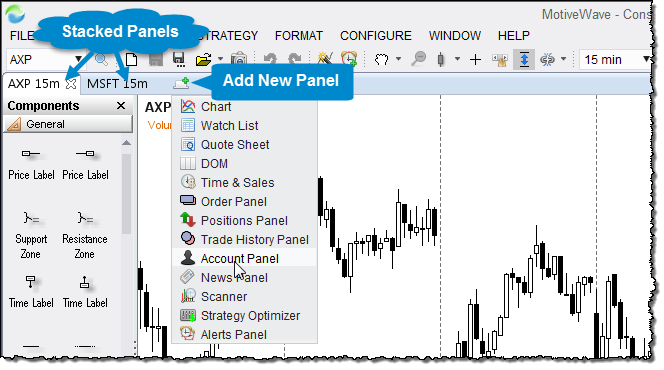
Panels may be "stacked" on top of each other. Clicking on a tab will activate a panel. Additional panels may be created by clicking on the "Add Tab" button to the right of the panel tabs.
Order Management
With integrated trading, MotiveWave makes it easy to place and adjust orders. Manage all of your orders directly from the console.
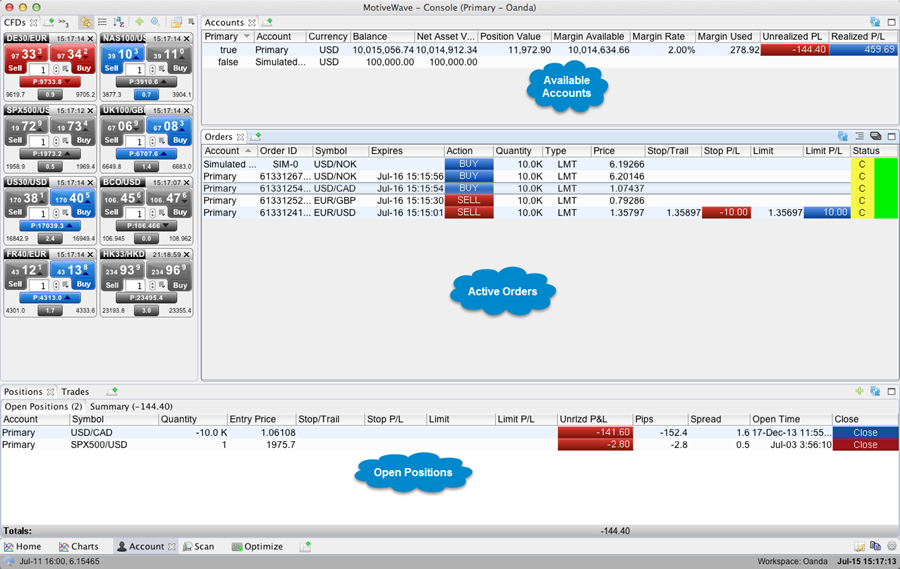
Chart Orders
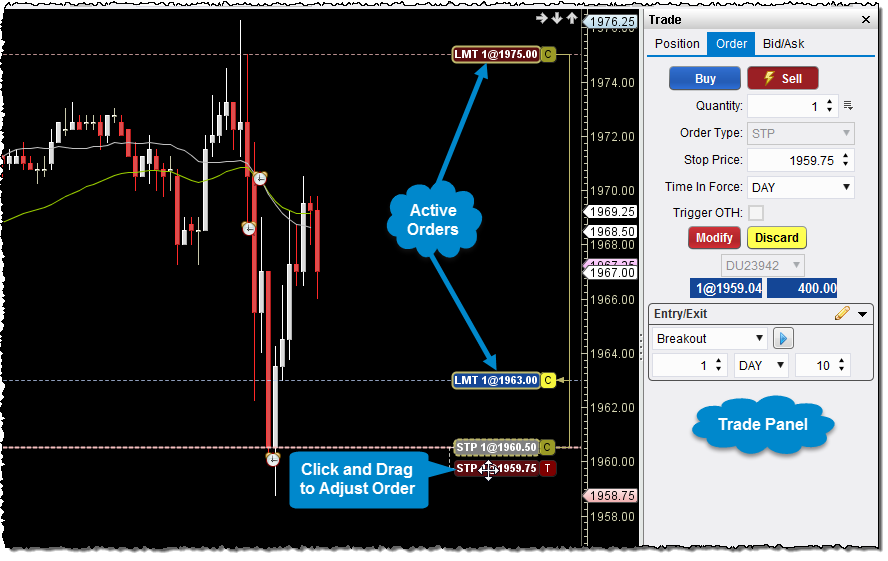
Conveniently manage and adjust your orders directly from any chart.
Workspaces
Use workspaces to manage connections to Brokers and Data Services. Each workspace is a separate instance of MotiveWave, each having its own local database. MotiveWave supports an unlimited number of workspaces. New workspaces can be created directly from the startup screen.
Connect To Multiple Brokers
Connect and manage your trades with multiple brokers at the same time by opening multiple instances of MotiveWave.
Offline Mode
Access and maintain your analyses even when a network connection is not present. Historical data and analyses are all stored in your local database which is accessible when your broker is not.
Multiple Brokers/Data Services
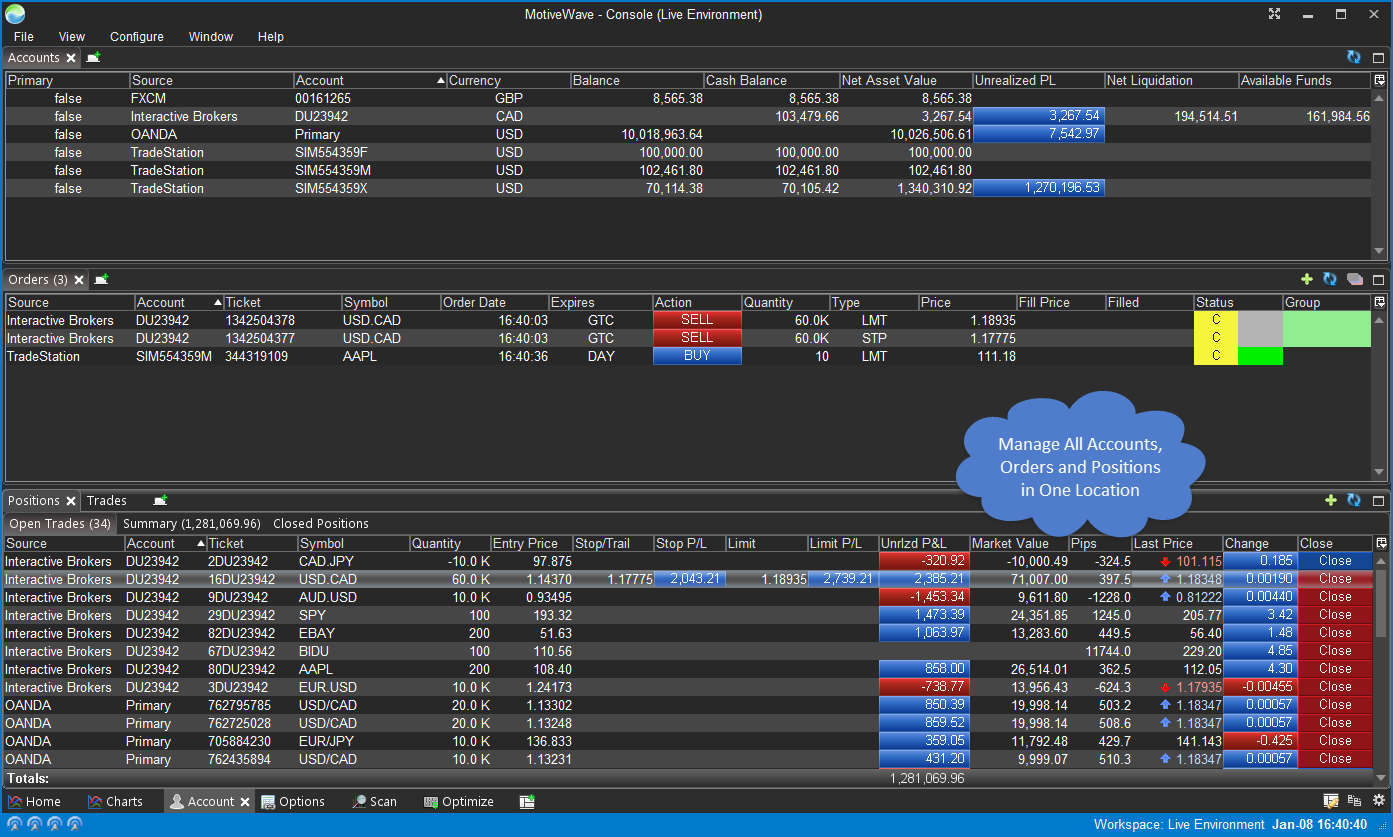
Connect concurrently to multiple brokers and/or data services from a single workspace (Professional and Ultimate Editions only). This feature enables you to manage data, trades and positions across all of your brokers in a single location.
Account Management
All of your accounts, positions and orders can be managed from a single location. Configurable columns make it easy to display what you need to see and simplifies your view of all accounts.
Orders
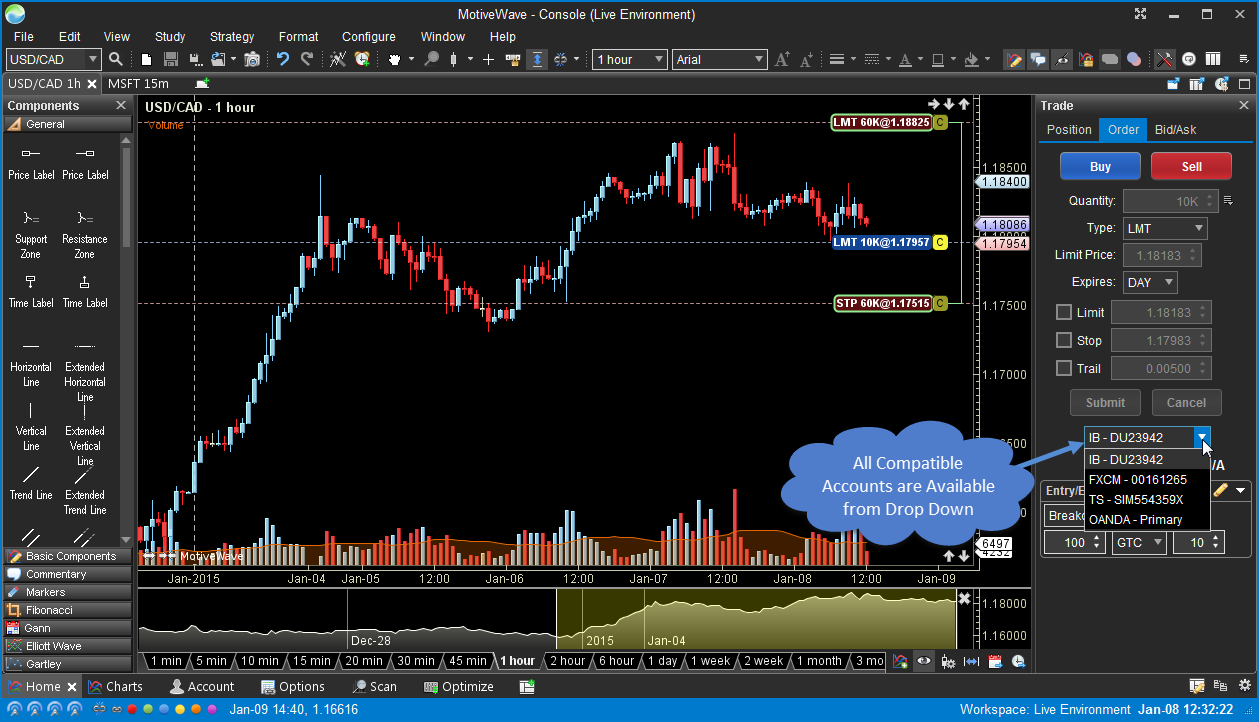
Orders can be placed to any compatible account from the trade panel (or Order Ticket Dialog).
Instrument Management
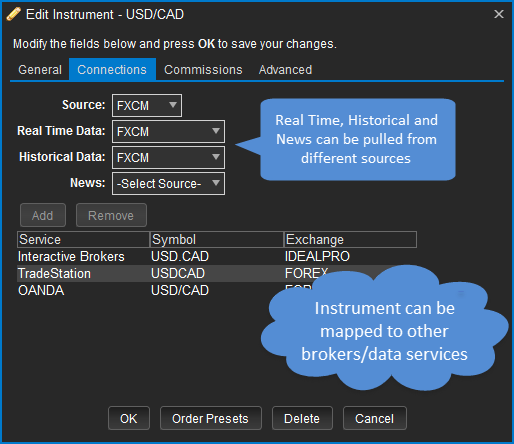
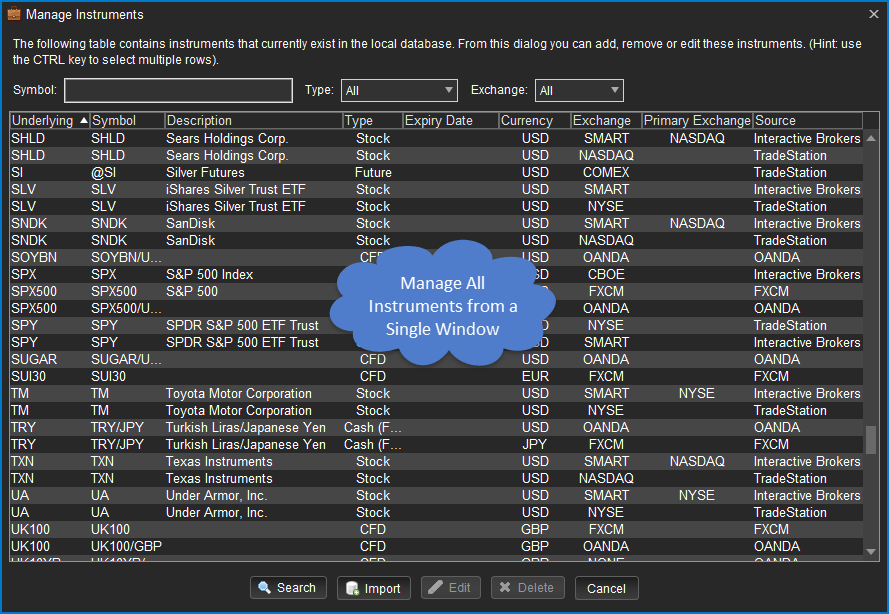
MotiveWave will automatically map many instruments across brokers and data services, but you can manage this explicitly from the Edit Instrument dialog (see Connections tab). Real-time, historical and news data can be optionally pulled from different sources.
Custom Instruments
Use custom instruments in MotiveWave to combine the historical and real-time prices of 2 or more instruments to create:
- Spreads - Displays the difference (spread) between two instruments.
- Ratios - Displays the ratio between two instruments by dividing the price of one instrument by the other.
- Index - Combine the prices of two or more instruments to create your own basket. This can be useful to monitor your own stock portfolio.
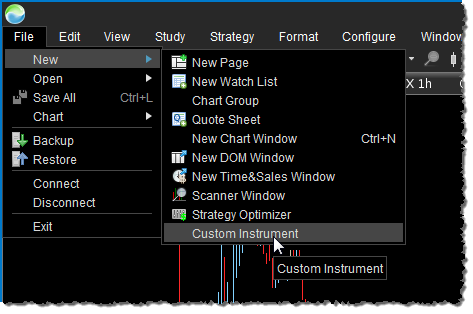
The example below illustrates the creation of US Dollar Index using a custom instrument. Start by choosing File -> New -> Custom Instrument from the Console menu bar.
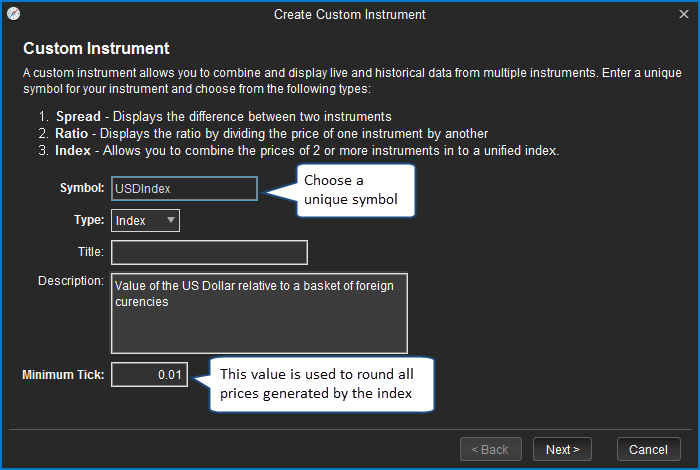
This will open the Custom Instrument Wizard. On the first page of the wizard, choose a symbol for the instrument (must be unique) and select Index as the type. Optionally enter a title and description. The Minimum Tick field is used to round the prices that are generated by the index (default is 0.01).
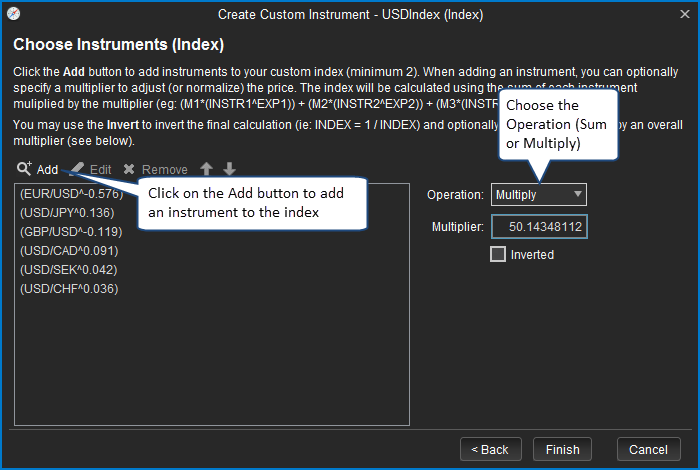
The next page of the wizard is used to define the formula for creating the index. In the case of the US Dollar Index, the formula is as follows:
USDIndex = 50.14348112 x EUR/USD^(-0.576) x USD/JPY^(0.136) x GBP/USD^(-0.119) x USD/CAD^(0.042) x USD/CHF^(0.036)
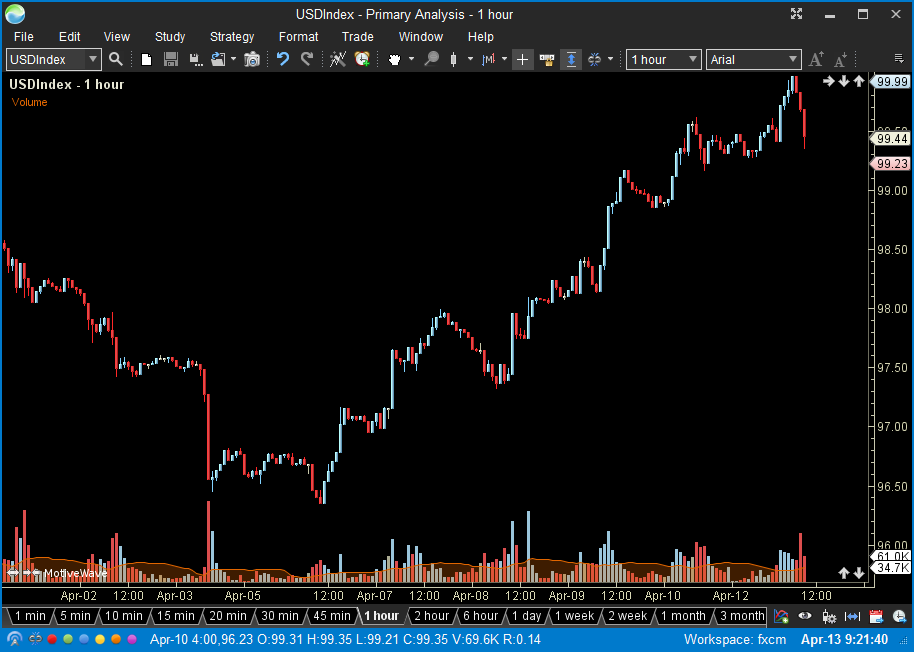
The chart below shows the USDIndex on a 1 hour chart. The chart will be updated in real-time using the tick data generated by the instruments that make up the index.
Elliott Wave
MotiveWave has the most advanced Elliott Wave Software and Elliott Wave Tools available. Elliott Wave Tools range from manual to semi-automatic to automatic Elliott Wave to suit your preference. Elliott Wave labels are always automatically added for you, cutting down your analysis time significantly. Manual Elliott Wave tools let you plot your own wave counts easily. Our Auto Elliott Wave tool will fill in Elliott Wave counts automatically on one chart based on a selected area of a chart. Our Auto Analyze Elliott Wave tool will automatically plot Elliott Waves over a specified range of data to a specified level of decomposition on one chart. The Elliott Wave Scanner (pattern recognition tool) allows you to search for specific Elliott Wave Patterns across multiple symbols/instruments based on options you choose. All wave counts can be moved or adjusted after being placed on the chart and can be decomposed as many levels as you want.
All Patterns and Degrees
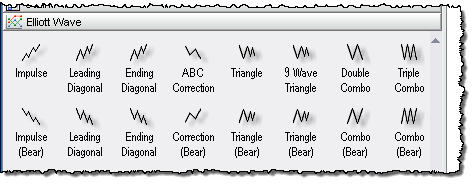
MotiveWave supports all Elliott Wave Patterns and Degrees, as mentioned in the book, Elliott Wave Principle: Key To Market Behavior by A.J. Frost and Robert R. Prechter MotiveWave allows you to easily compose or decompose wave formations to multiple levels and perform time and ratio analysis on the waves to forecast future price direction and buy / sell points.
Rules And Guidelines
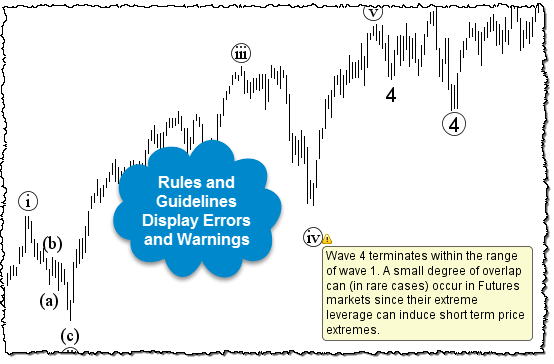
All Elliott Wave Theory Rules and Guidelines are enforced in MotiveWave, with warnings on what rule or guideline has been broken so that you can adjust the placement of your count. This shortens your learning curve with Elliott Wave significantly and allows you to be more confident in your wave counts.
Wave Ratios
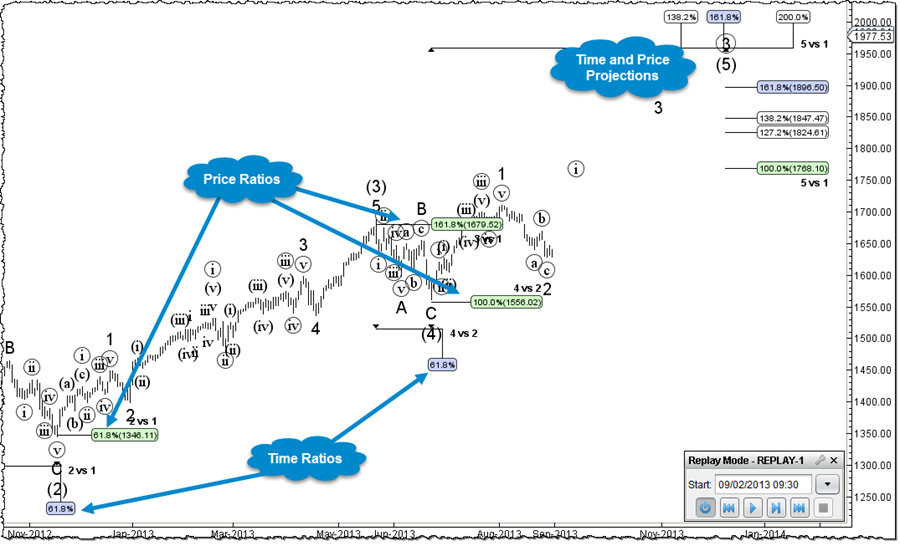
Fibonacci ratios between waves are an essential tool for forecasting price movements. MotiveWave supports all price and time ratios. Multiple ratios can be displayed at the same time and conveniently accessed using shortcut keystrokes.
Auto Analyze
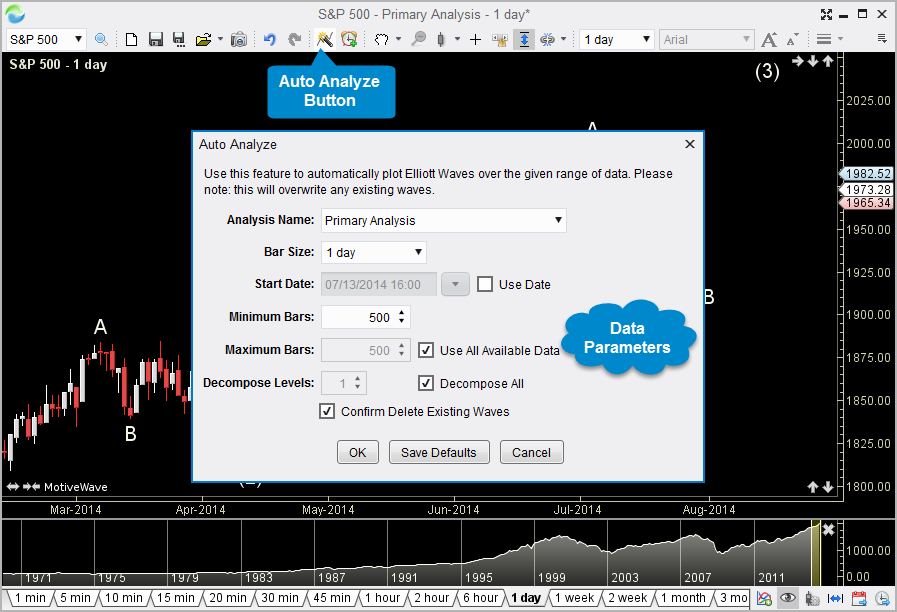
Need to get started with a wave count? Choose View Auto Analyze from the top menu bar to access the Auto Analyzer. This feature will generate a wave count for you given the data parameters. Different strategies are available for common trading scenarios:
Elliott Wave Study
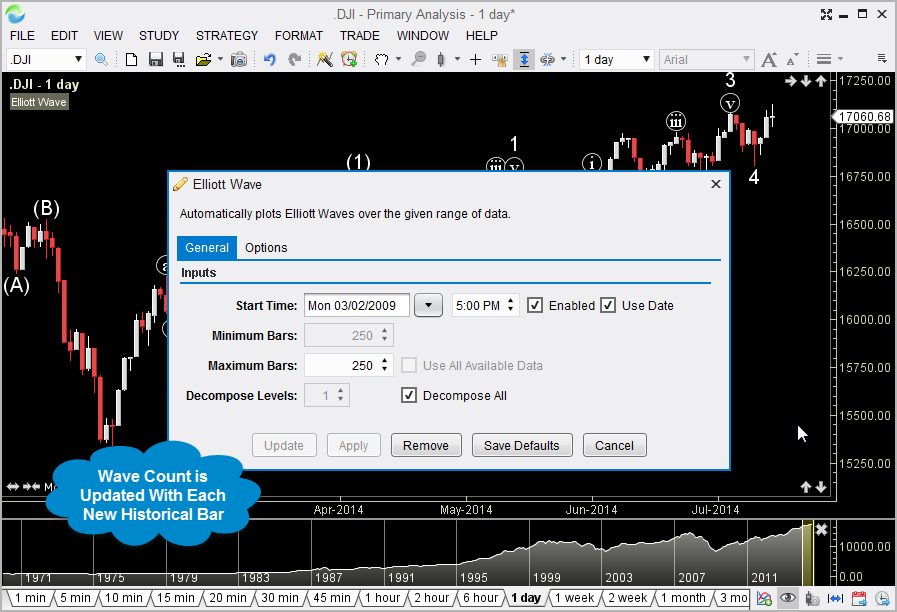
Looking for fully automated wave counts? The Elliott Wave Study (Choose Study Overlay Elliott Wave from the top menu bar) will create and automatically update a wave count as new historical bars are generated.
Elliott Wave Strategies
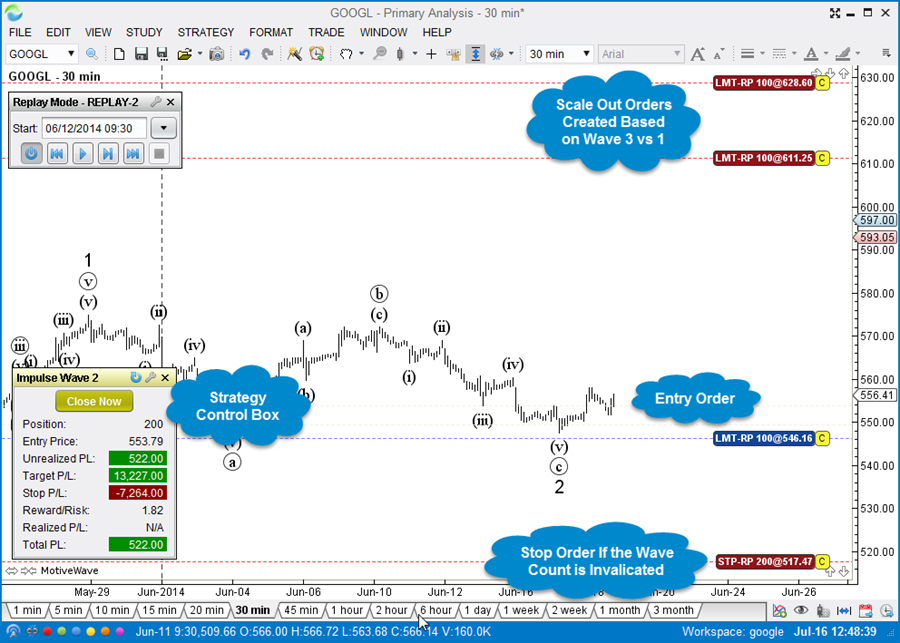
Automate your entries and exits using the built-in Elliott Wave strategies. Entry orders are automatically created to scale in based on wave ratios. Stop orders are placed at wave invalidation points and optionally trail as the market moves in your favor. Exit orders are created for you based on wave ratios.
- Impulse Wave 2
- Impulse Wave 4
- Corrective Wave B
Scanner
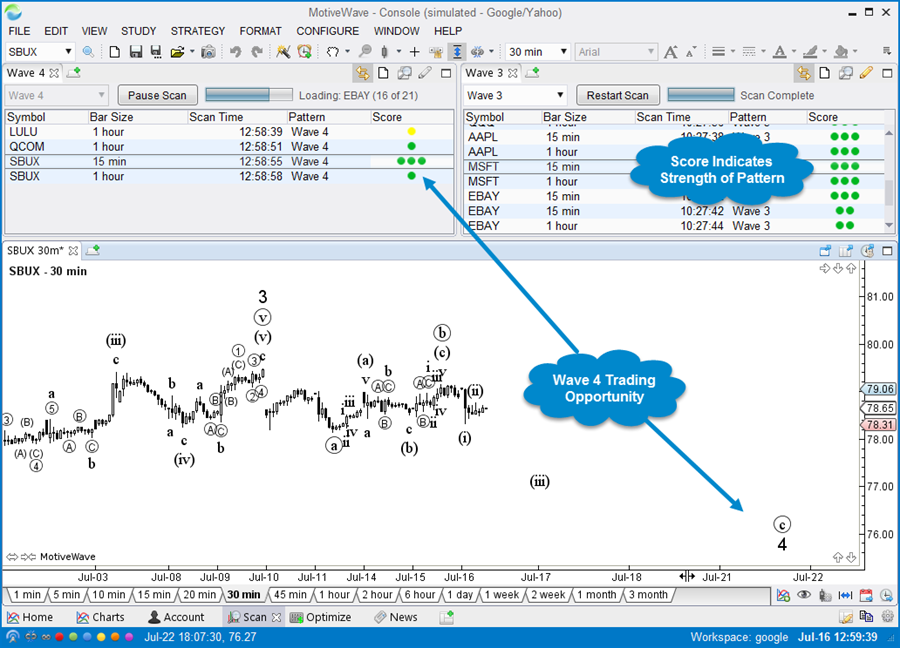
Scan for your favourite Elliott Wave trading opportunities using our Scanner feature.
Harmonic Shapes
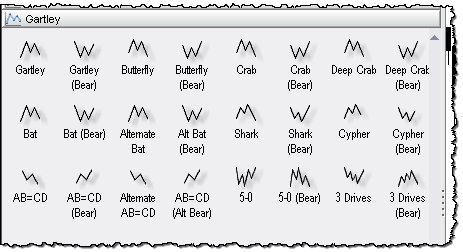
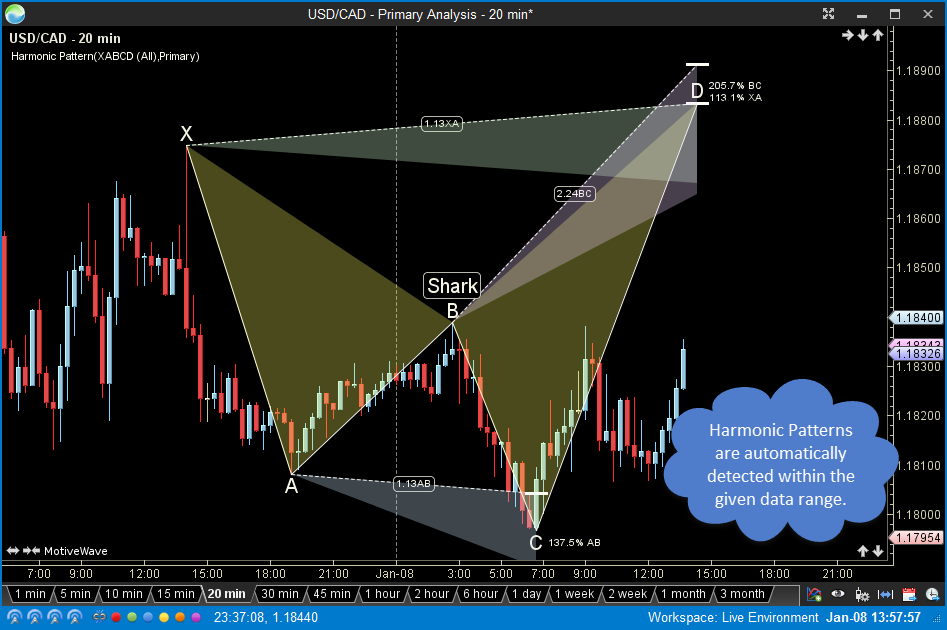
MotiveWave has a very advanced set of Gartley tools that come in manual, semi-automatic and automatic Gartley to suit your preference. There are 24 manual Gartley components (bull and bear) that you can add to the charts, including Gartley pattern, Butterfly, Crab, Bat and more. Shaded areas and ratio label guides allow you to easily place points on the chart to wire up the patterns correctly. Our Auto Gartley tools allow you to select an area of a chart to search for either a Gartley or ABCD pattern. The Gartley Scanner (pattern recognition tool) allows you to search for specific Gartley Patterns across multiple symbols/instruments based on options you choose. All Gartley patterns can be moved or adjusted after being placed on the chart.
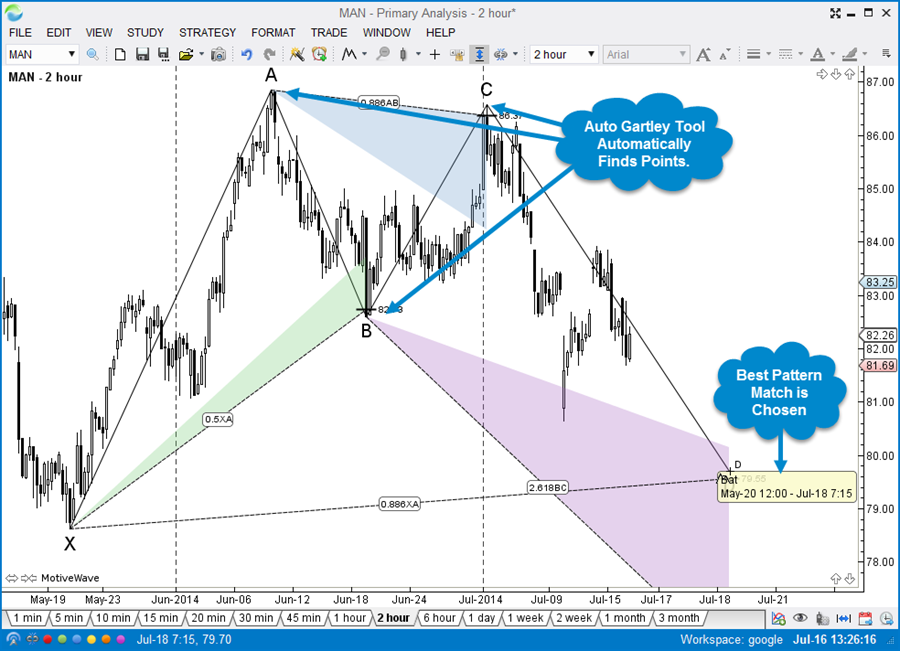
Auto Gartley Tool
Use the Auto Gartley Tool to automatically choose points and assign the most appropriate XABCD Pattern.
Harmonic Shapes Study
Use the Harmonic Shapes Study (Study -> Overlay -> Harmonic Shapes) to automatically detect and display the best fitting pattern for the given data range.
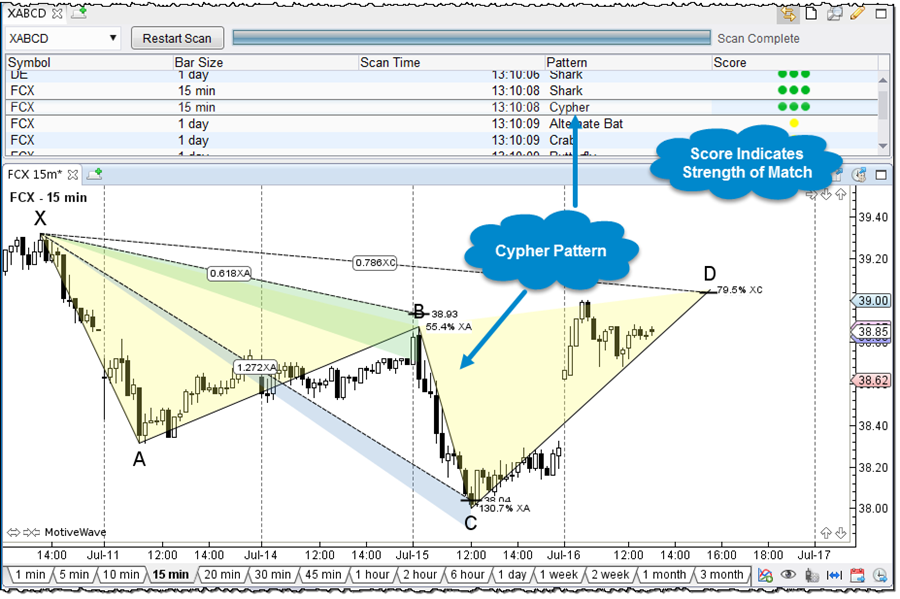
Scanner
Scan for your favourite Harmonic trading opportunities using our Scanner feature.
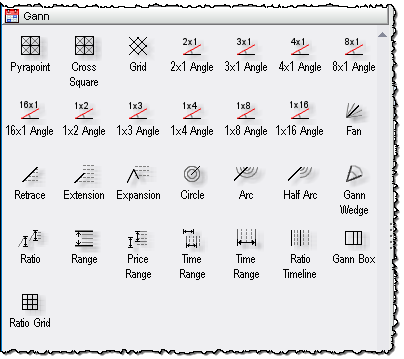
Gann Analysis
MotiveWave has 29 Gann components, including Gann Fan, Wedge, Angles, Ratio Grid and more. MotiveWave also enables you to perform Gann time and ratio analysis.
Pyra Point
Use the PyraPoint tool to search for trade setups.
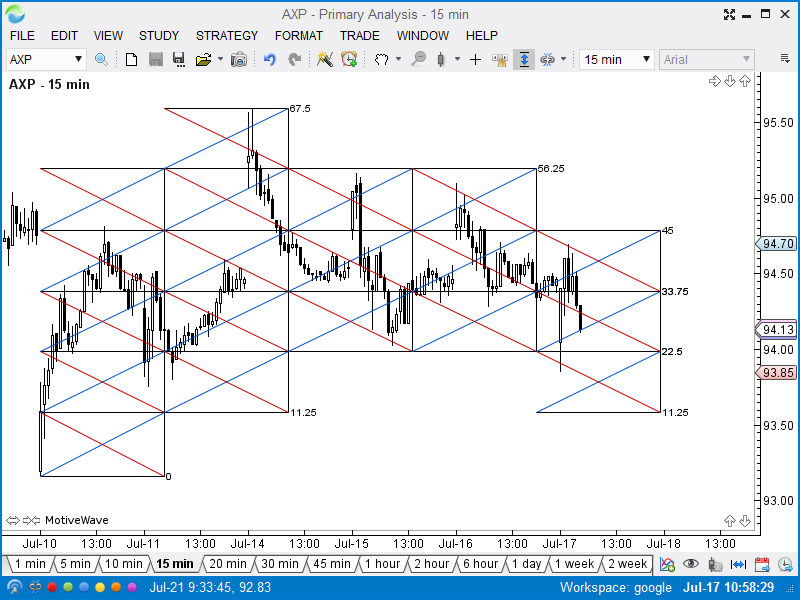
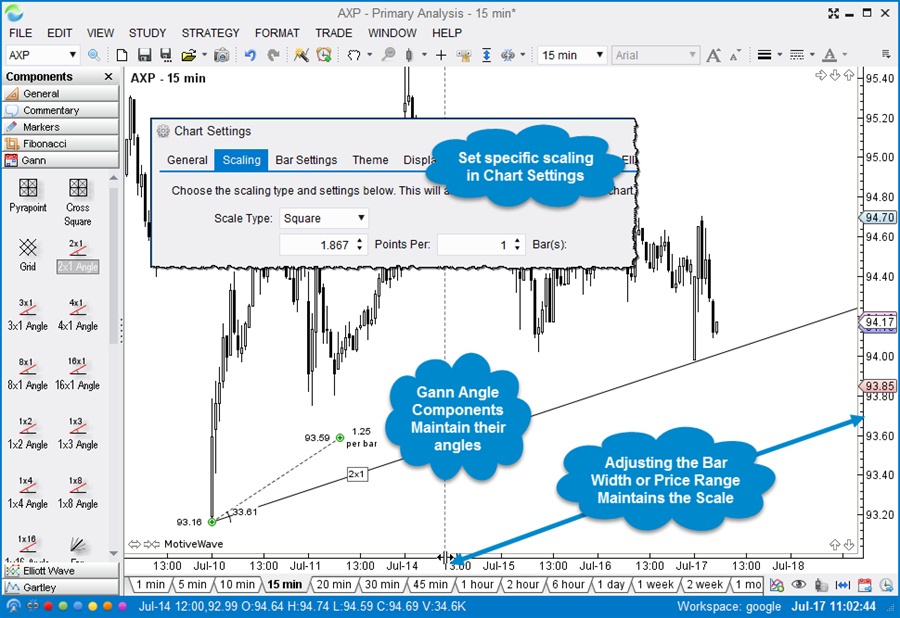
Square Price Scaling
Use the square price scaling to maintain a consistent price range per bar.
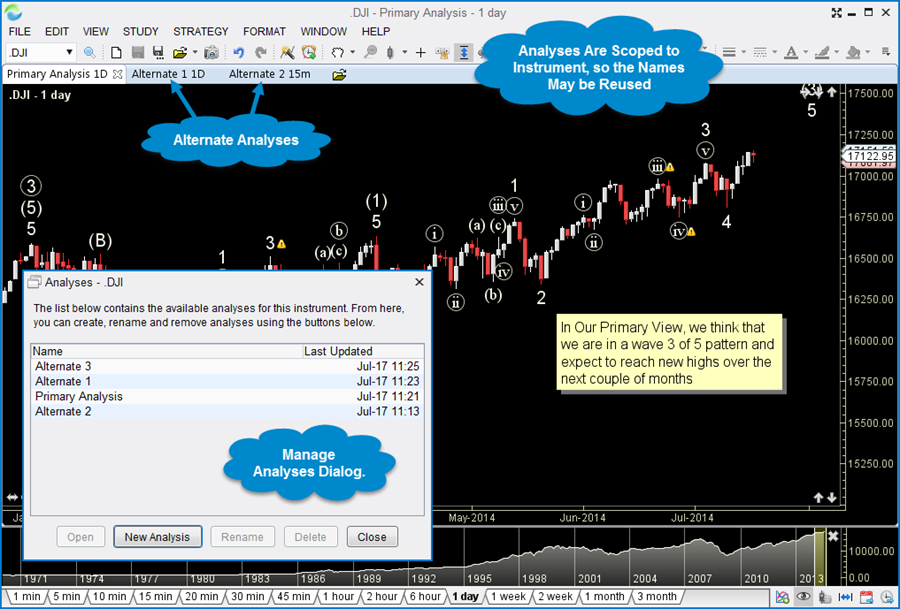
Alternate Analyses
MotiveWave has a unique concept of creating an alternate analysis. It is normally used with Elliott Wave analysis for exploring alternate outcomes, but can be used for any advanced technical analysis. Charts in MotiveWave can be saved so you don't lose your analysis. An alternate analysis lets you look at a possible diverging outcome in a separate chart so you don't have two analyses competing or looking too busy on a chart. You can choose to start your Alternate Analysis based on an existing chart and make appropriate changes to the new chart or you can start an Alternate Analysis from a clean blank chart. Either way, your original analysis is saved and will not be changed.
Studies
With over 275 built-in studies, you are sure to find what you are looking for. MotiveWave has a lot of advanced study features to provide you with the flexibility that you need.
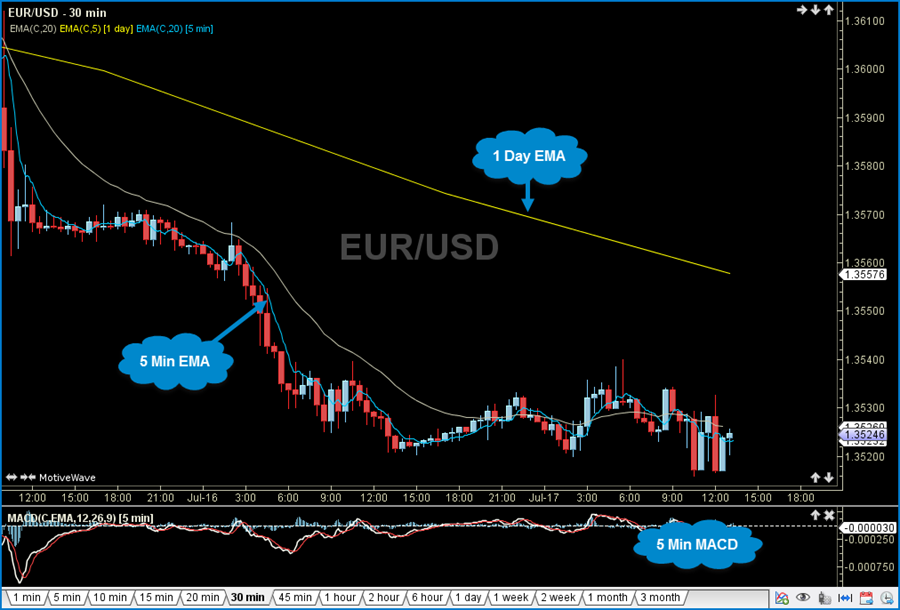
Multiple Time Frames
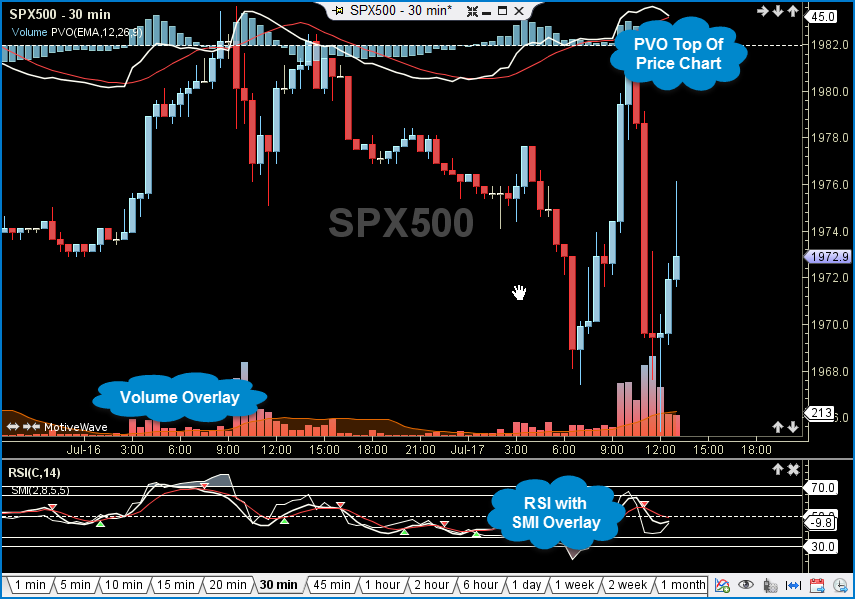
Studies of different bar sizes may be displayed on the same chart. For example, you can overlay a 1 day moving average on a 15 minute chart or display a 5 minute RSI on a 1 hour chart.
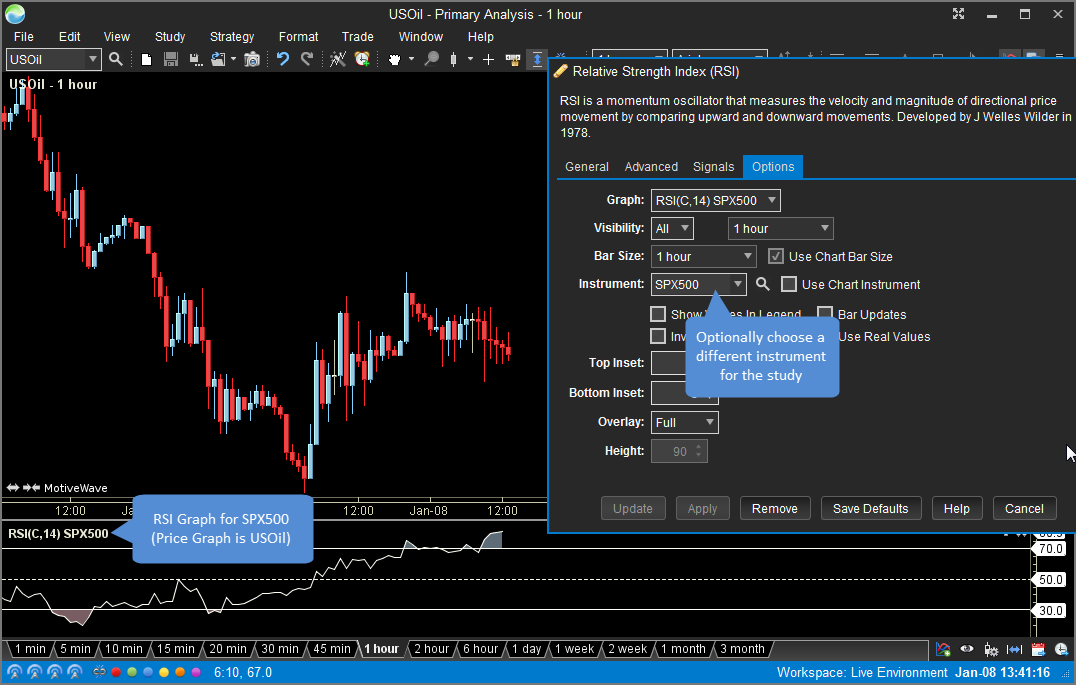
Study Instrument
Optionally you can choose a different instrument for a study graph. In the example below, the RSI is based of the SPX500 symbol on a USOil chart.
Overlay Plots
Study Plots may be overlaid on other plots (such as the Price Plot).
Study Inputs
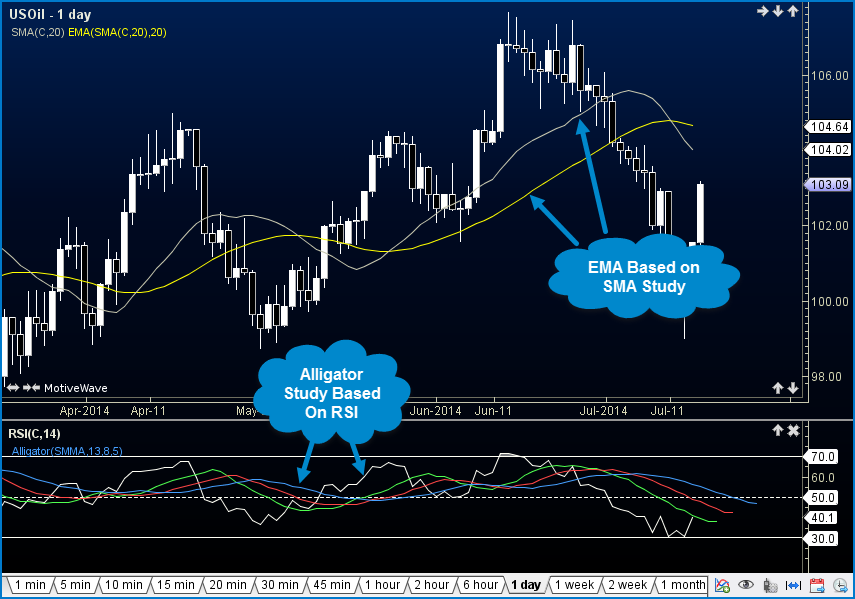
Studies can be based on inputs from other studies. For example an EMA can be based on values from another EMA, or a signal (moving average) can be added to an existing plot such as RSI.
Templates
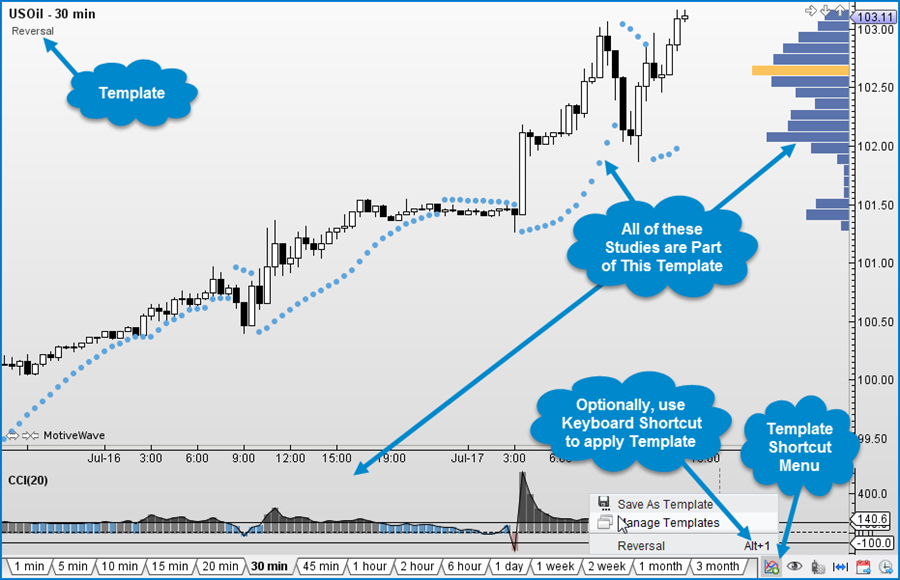
Study Templates are a convenient way to group sets of studies together and apply them to a chart with ease. A default template can be configured for use with all charts.
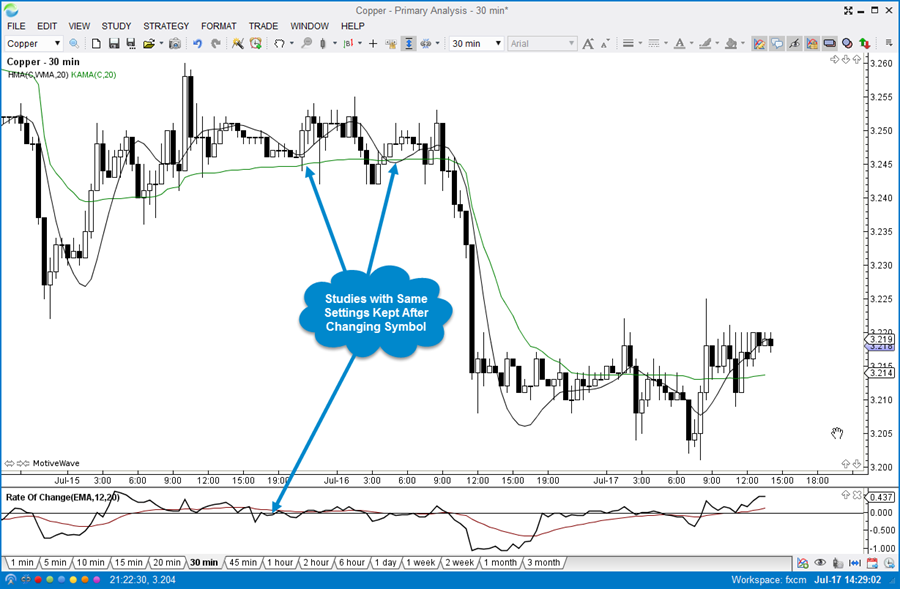
Lock Studies
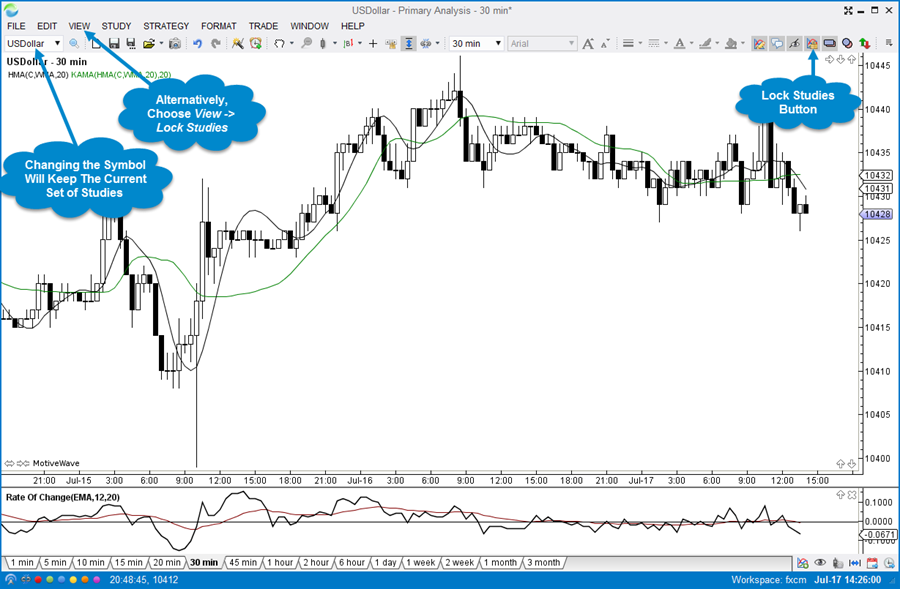
The Lock studies feature permits you to make the current set of studies stick to the chart. Changing the symbol will ensure that the existing studies are applyed to the new symbol.
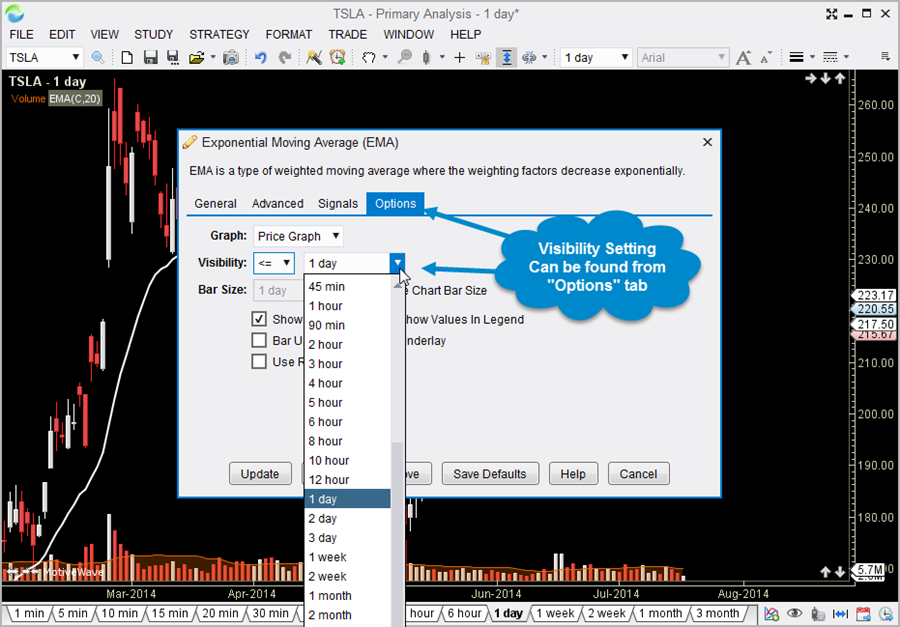
Visibility
For convenience, studies may be assigned a visibility attribute that makes them visible on only specific bar sizes. This allows you to automatically show or hide them when changing the bar size.
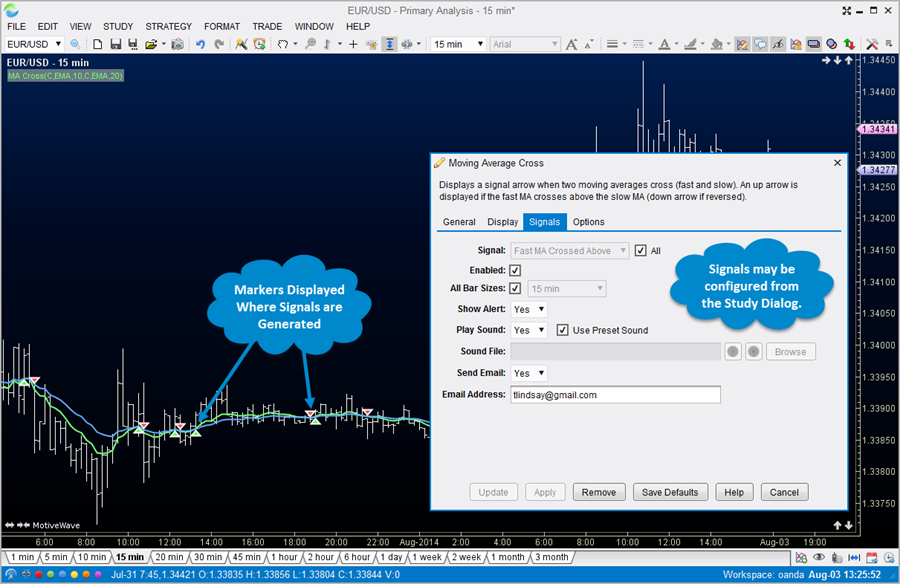
Signals & Markers
Many of our built-in studies generate signals when events of interest occur. These signals can be used to popup messages, send notifications to your smart phone or build custom strategies.
Strategies
Strategies may be used to fully or partially automate your trading. MotiveWave comes with over 30 strategies out of the box and you can create your own strategies using our Java SDK. Source code for our existing strategies can be made available upon request.
Fully Automated
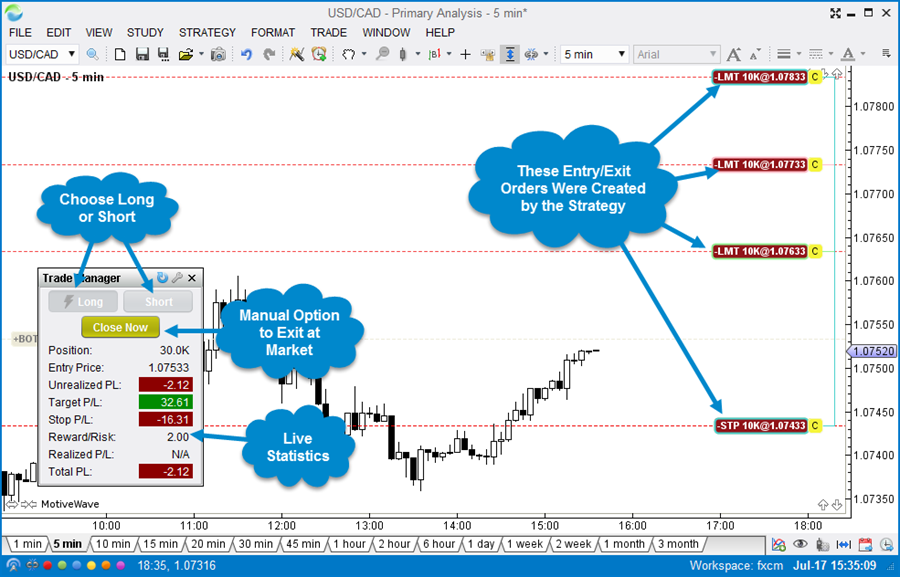
MotiveWave comes with several fully automated strategies. Choose your strategy and click on the Activate button to begin trading.
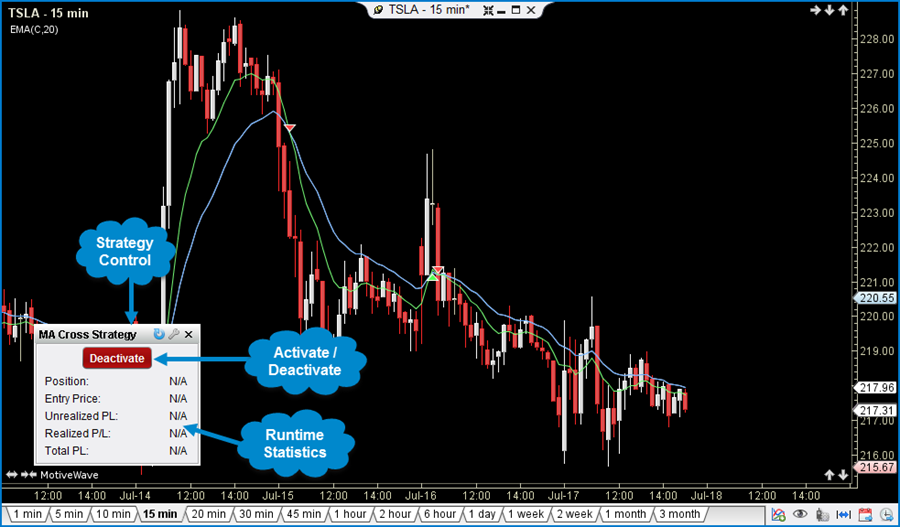
Partially Automated
Sometimes you want to have some level of control over how the strategy performs. Partially automated strategies allow for this level of flexibility. Optionally choose when to enter a position and when to close and exit the strategy.
Trading Sessions
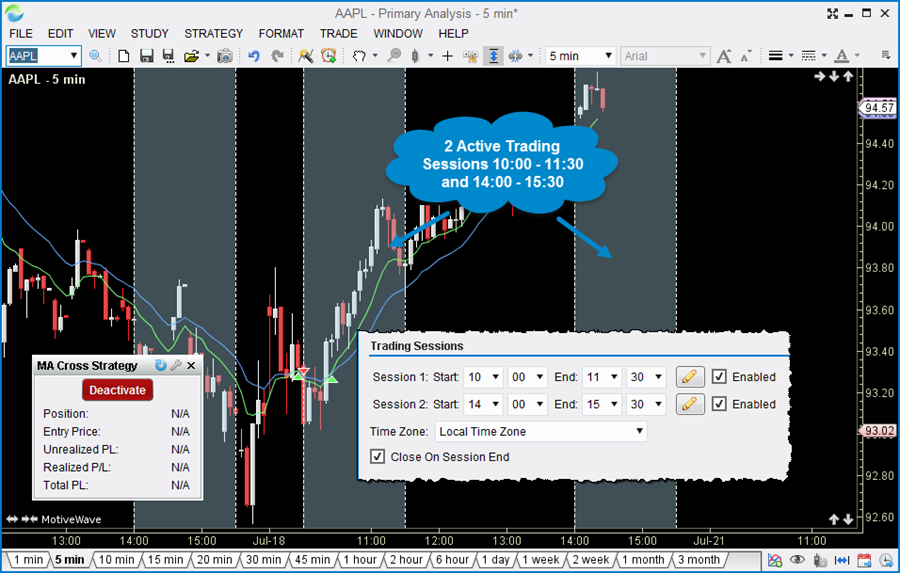
Trading sessions allow you to define times of the day when you would like to run your strategy. MotiveWave allows you to define one or more trading sessions and the behavior of the strategy when these sessions begin and end.
Replay Mode
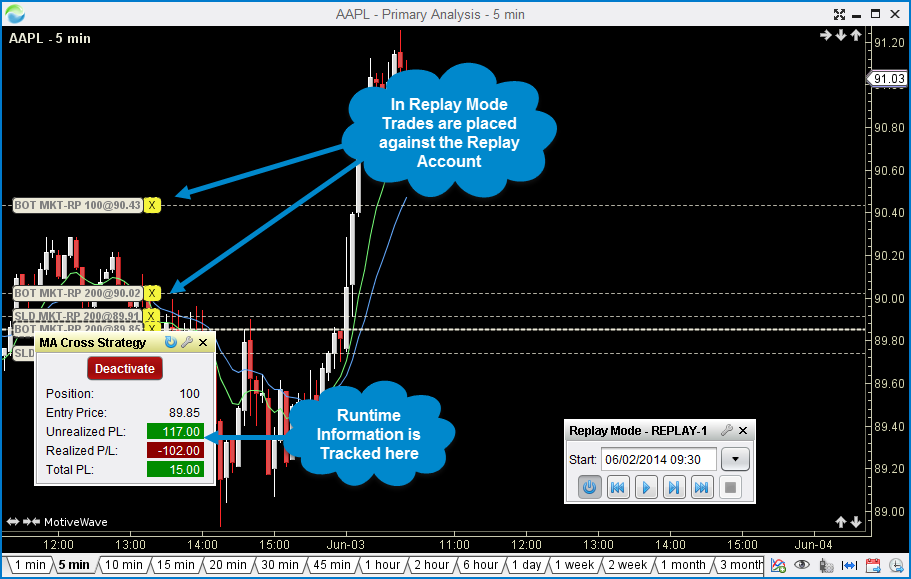
Testing or learning how to effectively use a strategy can be costly and time consuming when working with live data. Use the replay mode to go back in time and run your strategies using historical tick data.
Java SDK
Create your own studies and/or strategies using our Java SDK (Software Development Kit). We are pleased to provide the power and speed of the Java Programming Language as an option for custom development. For more details see: Software Development Kit
Distribution
Control access to your studies/strategies by using our access control features to ensure that only the people that you have authorized will be able to use your tools.
Source Code
Need help getting started? We can provide source code for most of our studies and strategies to help get you started.
Consulting Services
If you lack the programming skills, we can build it for you. Please contact support@motivewave.com for a quote on your custom study or strategy.
Strategy Backtesting
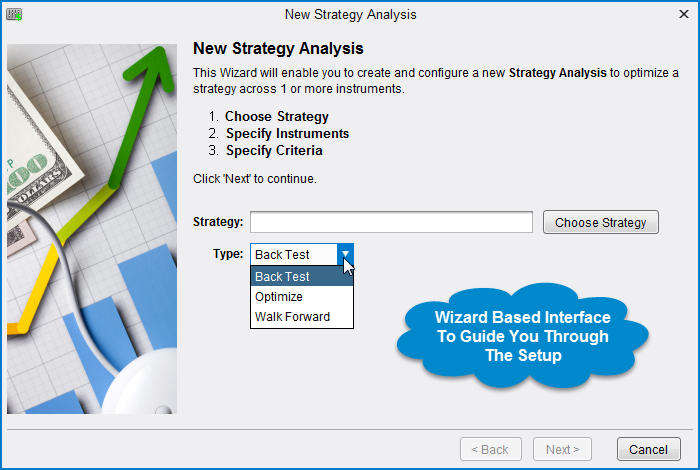
MotiveWave provides powerful tools to enable you to test and optimize your strategies using historical data. Use our wizard-based interface to guide you through the process. Testing may be performed using actual tick data provided by your data service. If this data is not available, MotiveWave can generate ticks using historical bars and even minute-based bars.
Backtesting
Backtesting enables you to see how your strategy would have performed over a given time period in the past. MotiveWave allows you to use any bar size and test over any number of instruments.
Optimization
The profitability of a strategy will vary depending on how it is configured. This option will enable you to specify a range of settings for the strategy and test many different combinations of these settings to determine which combination is "optimal".
Exhaustive
Exhaustive testing will test every combination of settings within your customized parameters and ensure that the optimal settings for your strategy will be found.
Genetic Optimization
Sometimes the number of possible combinations for your strategy settings is too large and exhaustive testing is impractical. Genetic Optimization utilizes a genetic algorithm to reduce the number of combinations that are included in the optimization process. This adaptive approach mimicks nature's evolution where the combinations that are most profitable rise to the top.
Walk Forward Testing
Sometimes knowing the optimal settings for a specific range of data is not enough. Just because a strategy performed well for a specific bar size and time frame does not guarantee that it will continue to perform well in the future. Walk forward testing helps to mitigate this problem by stepping foward in time after every iteration of a time frame.
Drawing Tools
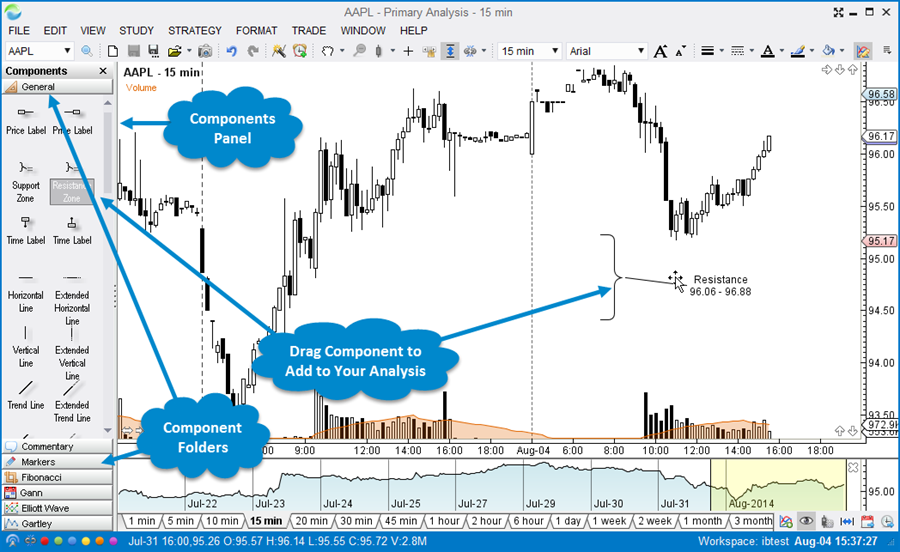
MotiveWave comes with over 180 specialized drawing components and dozens of drawing tools. Open the Components Panel for easy access. Simply click and drag components onto a chart to add them to your analysis.
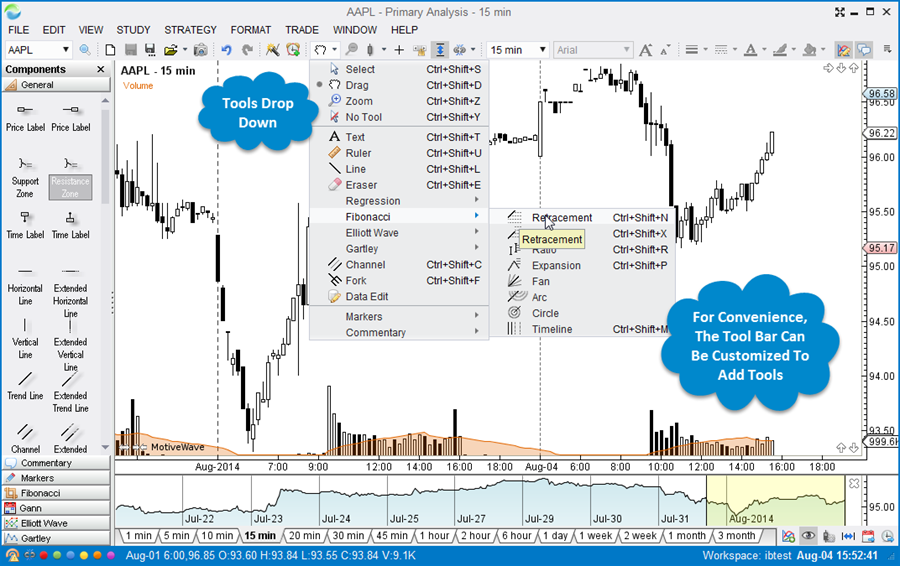
Use the tools dropdown to select a drawing tool. For convenience, the tool bar may be customized to add frequently used tools.
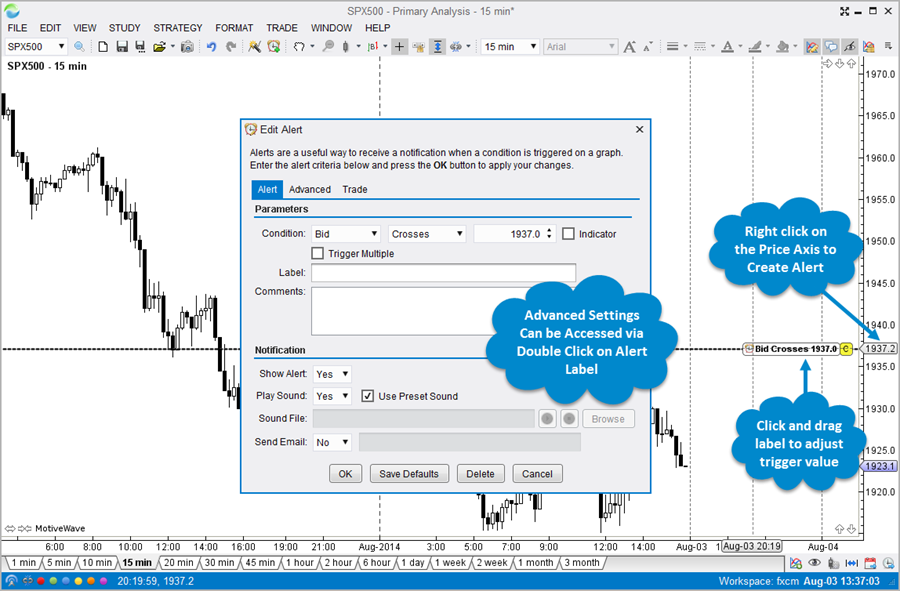
Advanced Alerts
Alerts are an essential tool for traders who trade multiple instruments or who want to be notified when a particular event has occurred. MotiveWave includes some highly advanced alert functionality suitable for all levels of traders.
Price Alerts
Use Price Alerts to be notified when a particular price for an instrument has been reached or exceeded.
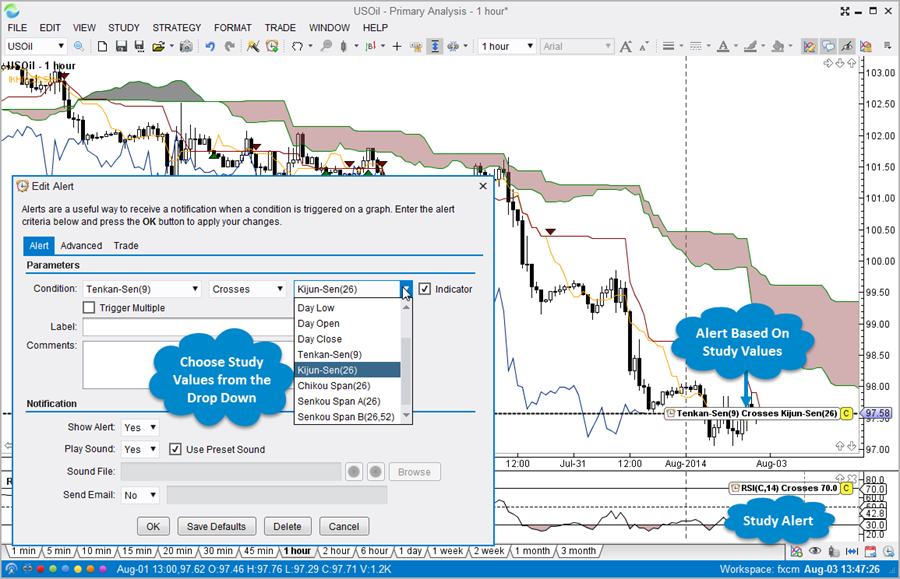
Study-Based Alerts
Alerts can be created using values that are generated by studies added to a chart.
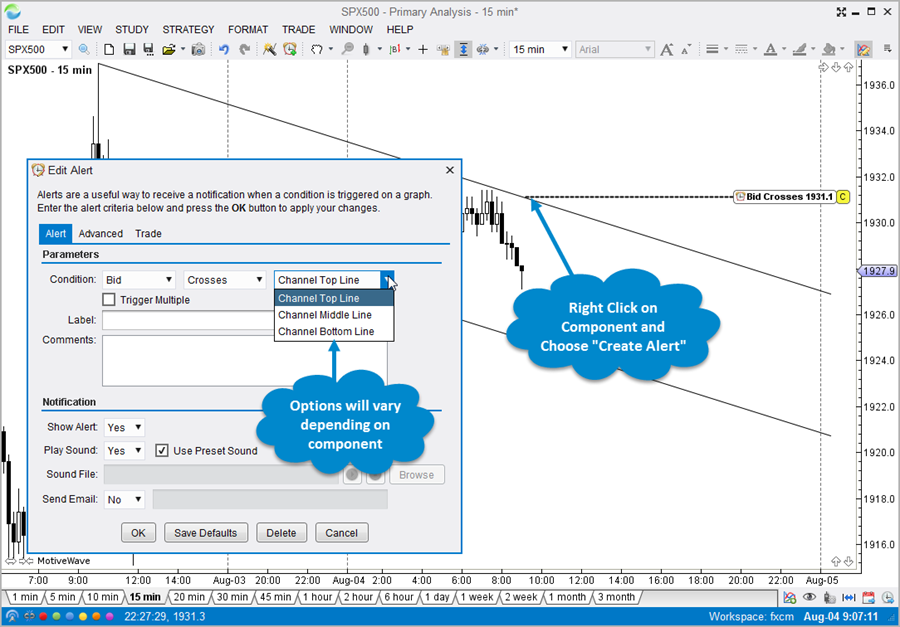
Component-Based Alerts
Components such as Trend Lines, Channels and Forks may be used to generate alerts. Simply right click on the component and choose Create Alert.
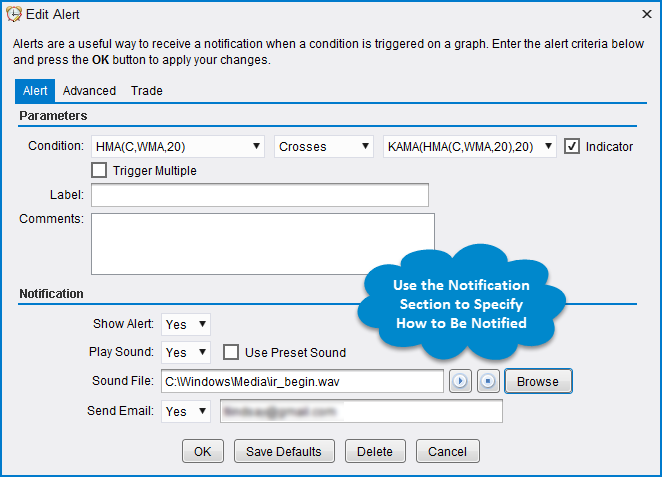
Notifications Sent to Your Smart Phone
Alerts may be configured to play custom sounds, display popup messages or to send an email to your smartphone.
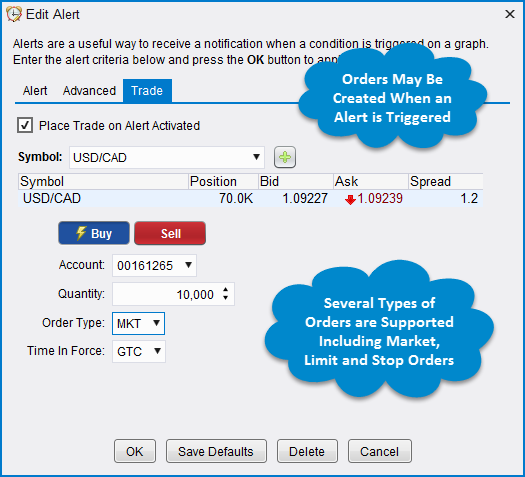
Place Trades From Alerts
Orders may be created when alert is triggered. Automatically create market, limit or stop orders
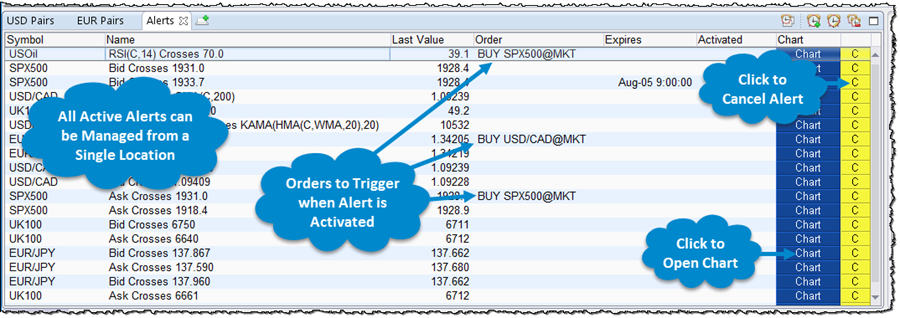
Centralized Alert Management
Manage all of your alerts from a centralized location on the console. Convenient "Chart" buttons may be used to open the chart where the alert was created.
Replay Mode
Use Replay Mode to validate a market theory, test an automated strategy or to practice your Elliott Wave counts. MotiveWave's advanced Replay Mode provides the flexibility and functionality you need to simulate a trading environment using historical data.
Historical Data Options
MotiveWave provides several options for replaying historical data:
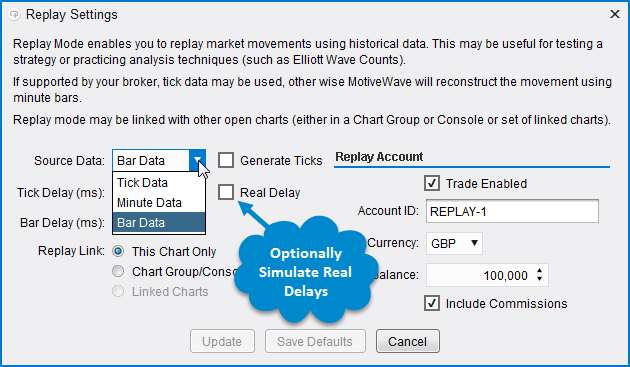
- Historical Bars - The OHLC values of the historical bars may be used as ticks in the replay session. Optionally have MotiveWave generate a set of ticks for each bar.
- Minute Bars - For improved accuracy of market play back, MotiveWave can load 1 minute bars and optionally generate a set of ticks for each bar.
- Tick Data - If available from your broker/data service MotiveWave can use actual tick data to precisely simulate historical market playback.
Real Delays - Optionally, you can tell MotiveWave that you want to use real delays between ticks to precisely simulate what a real trading environment would be like.
Place Trades In Replay Mode
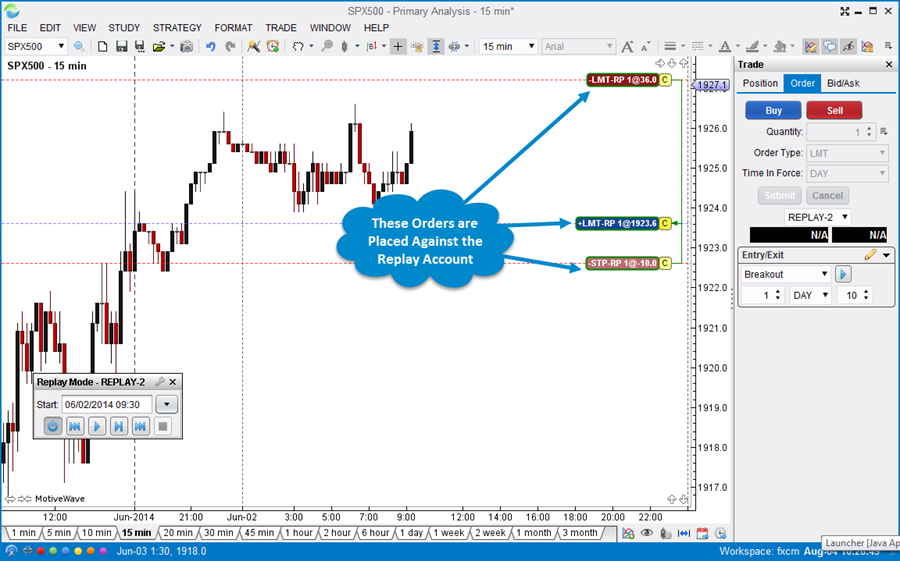
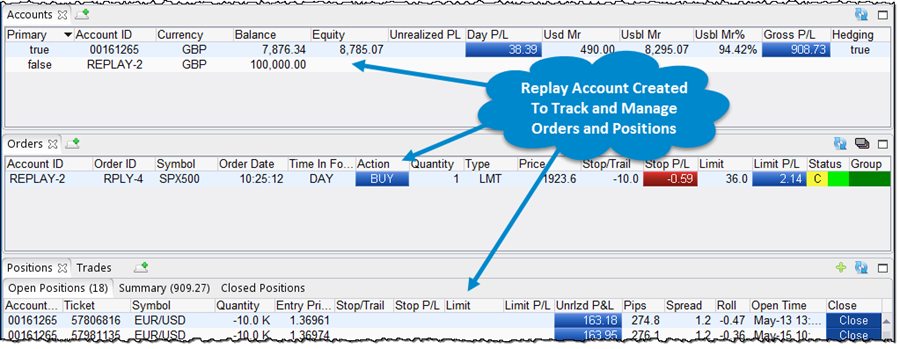
When Replay Mode is initiated, a special replay account is created to manage and track the trades that you create. Each replay session is assigned its own replay account so you can run multiple replay sessions at the same time.
Linked Charts
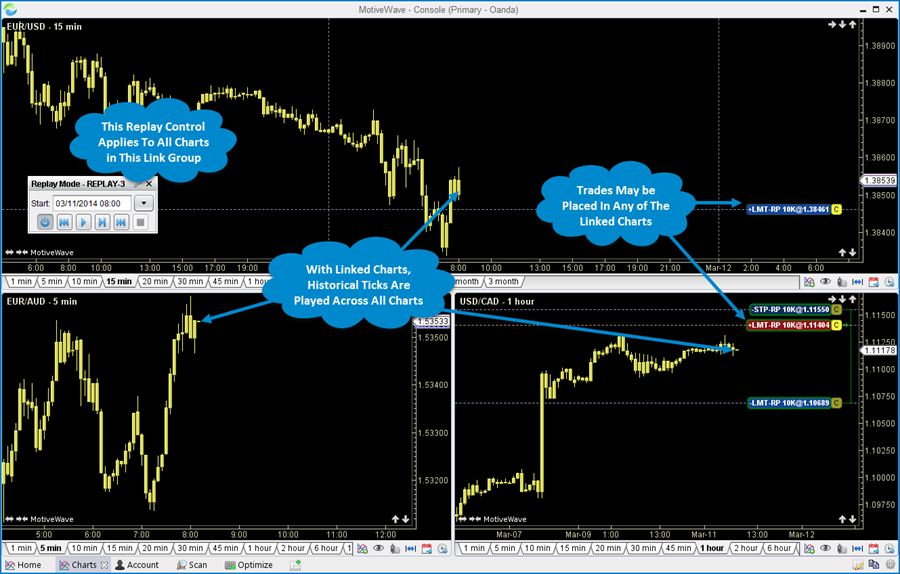
Several charts may be linked together in one replay session. When using the Replay Control to step forward, respective ticks are played across all charts in the linked group.
Scanners
Use our scanning features to look for trading opportunities across a wide range of instruments and bar sizes. MotiveWave's intelligent pattern matching algorithms allow you to search for:
- Elliott Wave - Search for Elliott Wave Patterns
- Harmonic (Gartley) Shapes - Search for Gartley Harmonic Shapes
- Study Conditions - Search for Study Conditions using one or more studies
Simultaneous Scans
Scans may be actively searching simultaneously. Open as many scanner panels as you like.
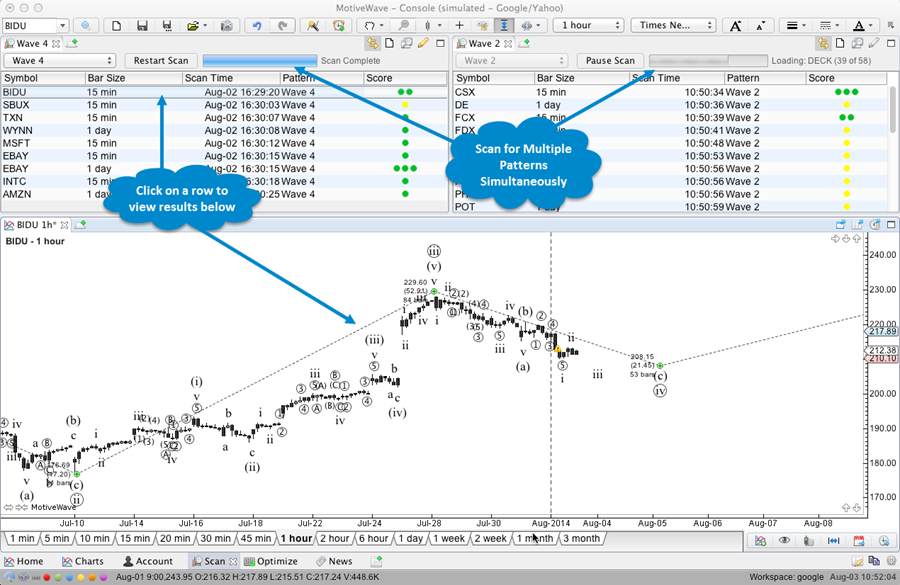
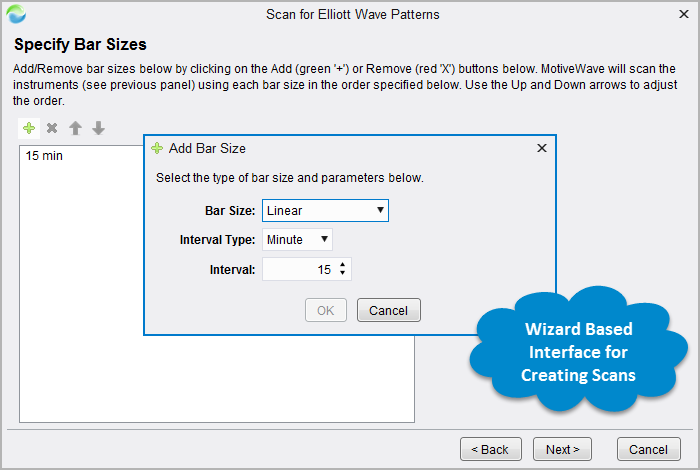
Wizards
Use our wizard-driven interface to easily build scans and save them for repeated use.
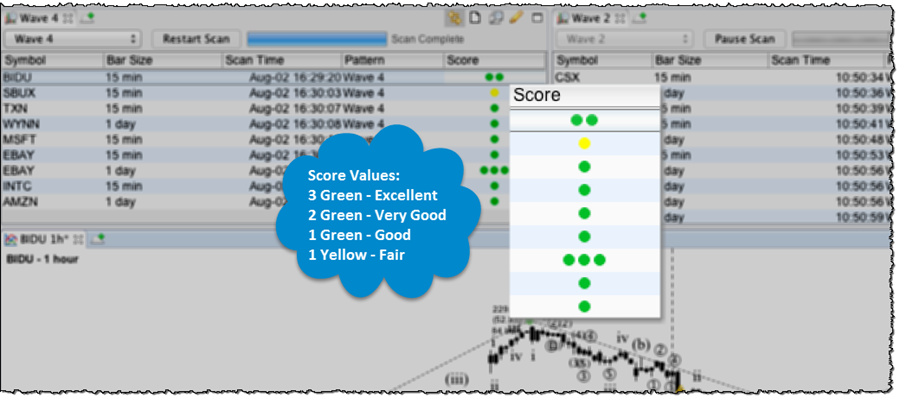
Scoring
Scan results are scored based on the quality of the match. Four different score ratings are provided.
Bar Sizes & Types
MotiveWave comes with several built-in Bar Sizes and Types including:
- Linear Bars - Daily and Intraday Bar Sizes. Create your own custom bar sizes based on minute or daily bars.
- Second-Based Bars - Second-based bars may be created from historical tick data (if available)
- Tick Charts - Tick charts created from historical tick data (if available)
- Constant Volume - Each Bar is based on a constant trade volume
- Point & Figure
- Range - Constant price movement.
- Renko - Specialized Range Bar where bar ranges do not overlap with the previous bar
- Hybrid Renko - Special type of Renko bar that has different sizes for upward movements and downward movements.
Custom Bar Sizes
MotiveWave is initially configured with common bar sizes. You can create custom bar sizes to suit your specific needs.
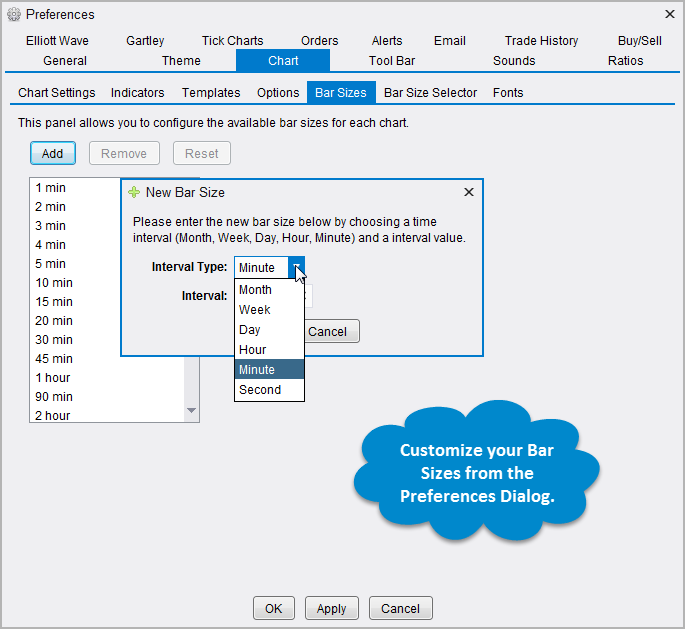
Bar Size Selector
Use the convenient Bar Size Selector at the bottom of each chart to quickly switch between bar sizes. Customize the selector to have the bar sizes that you regularily use.

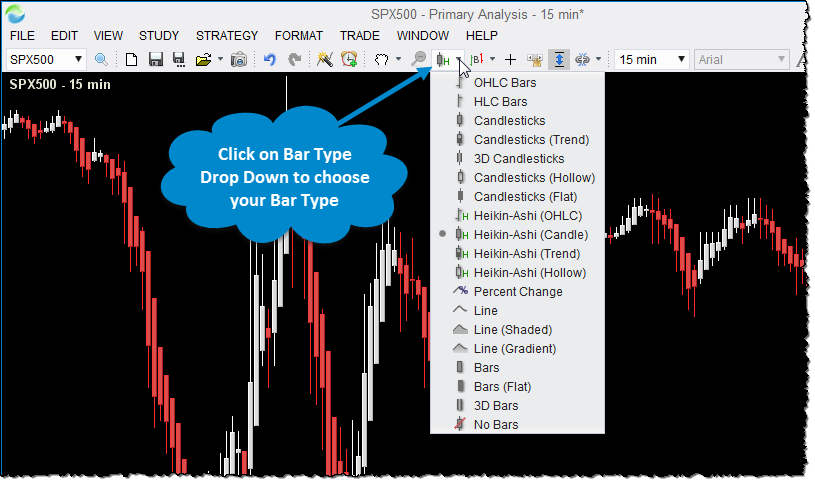
Bar Types
Several different types of bar types are provided to suit your needs including: OHLC, HLC, Candlesticks, Bars, Line, Heikin-Ashi.
Percent Change Charts
Optionally, closing prices can be plotted as a percentage of change from a specific bar. Use the Instrument Overlay to compare the relative movements of several different instruments.
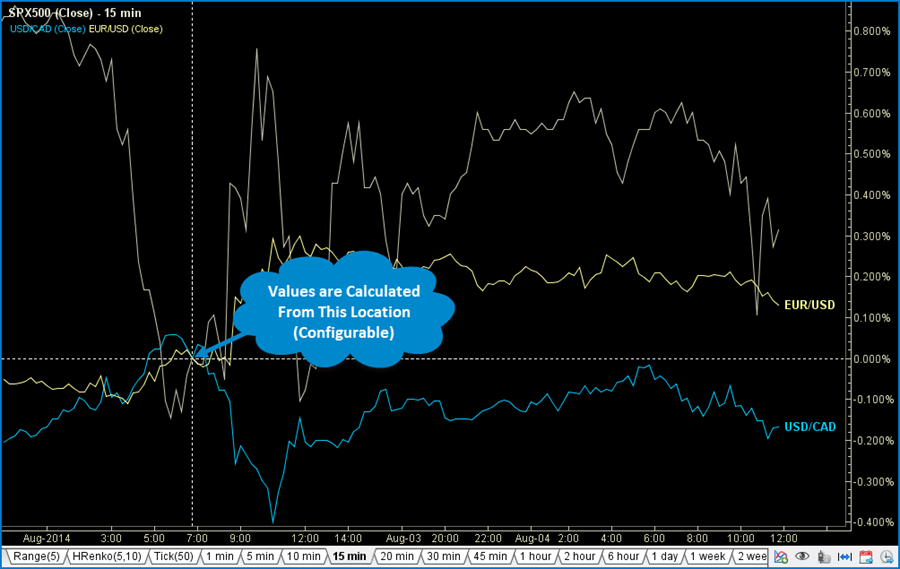
Chart Trading
MotiveWave offers several quick and convenient ways to place/manage orders and open positions directly from a chart.
Price Axis Trading
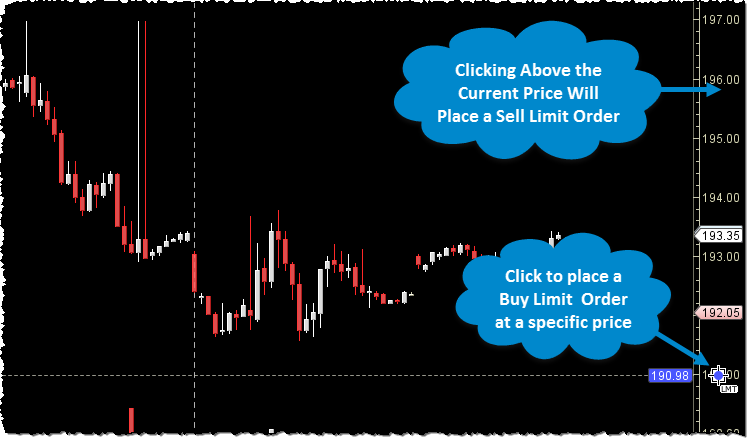
Place orders directly from the price axis with a single mouse click. Limit Buy/Sell orders can be placed at a specific price by clicking above or below the current price. Keyboard modifiers such as "Ctrl", "Shift" or "Ctrl+Shift" can be used to place specific types or combinations of orders when clicking on the price axis.
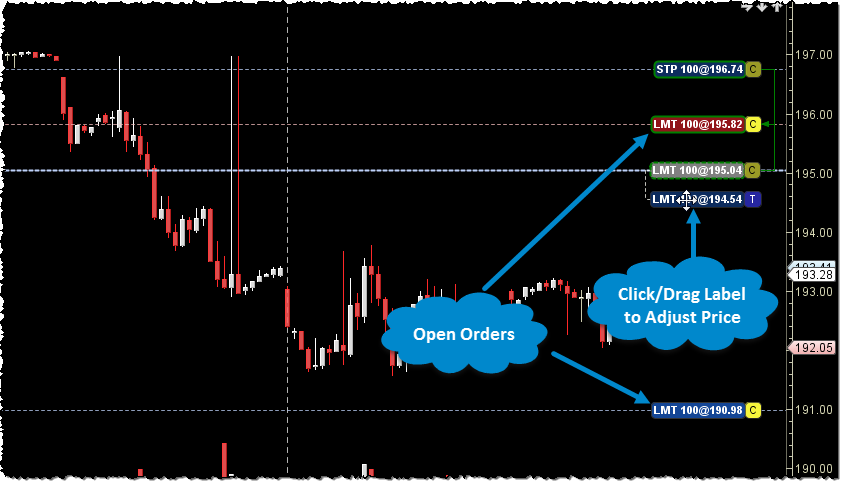
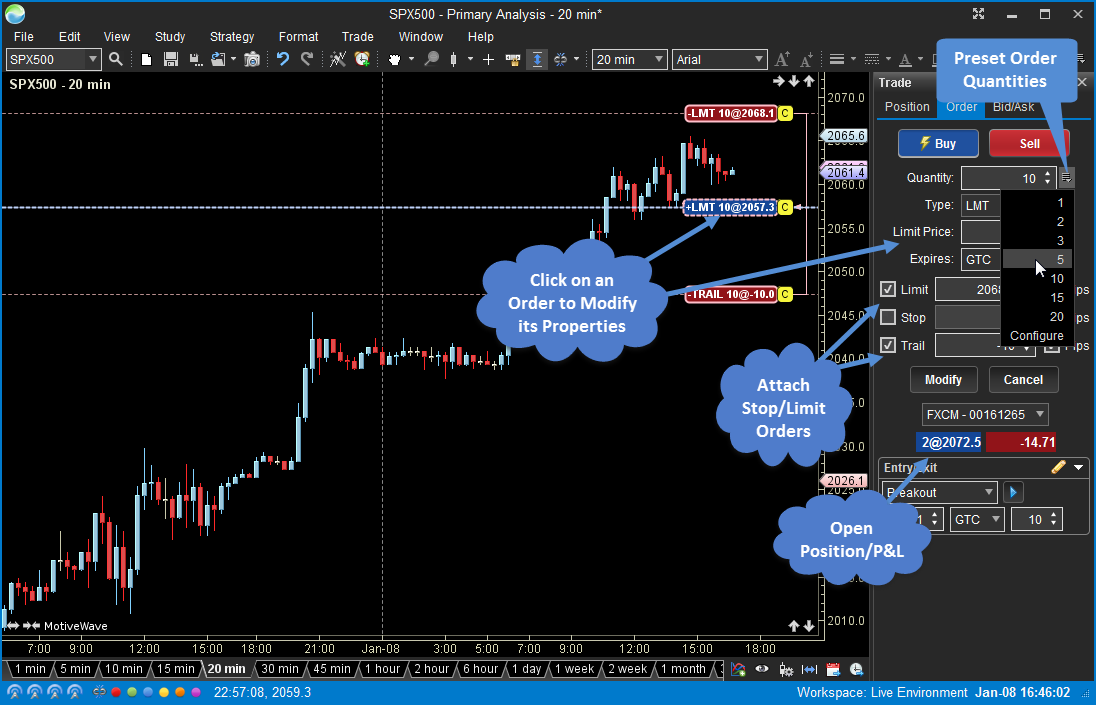
Orders can be adjusted or cancelled directly from the chart. Just drag a label to adjust the price or click the 'C' button to cancel an open order.
Trade Panel
Use the Trade Panel for more complex order management.
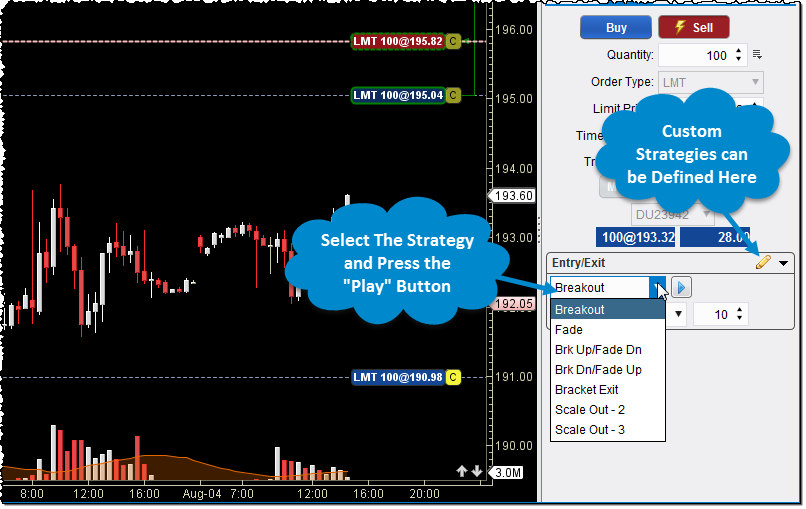
Entry/Exit Strategies
Entry/Exit Strategies provide a more sophisticated way to place combinations of orders for entering and/or exiting a position. MotiveWave comes with several built-in strategies including: Breakout, Fade, Brk Up/Fade Dn, Brk Down/Fade Up, Bracket Exit and Scale Out.
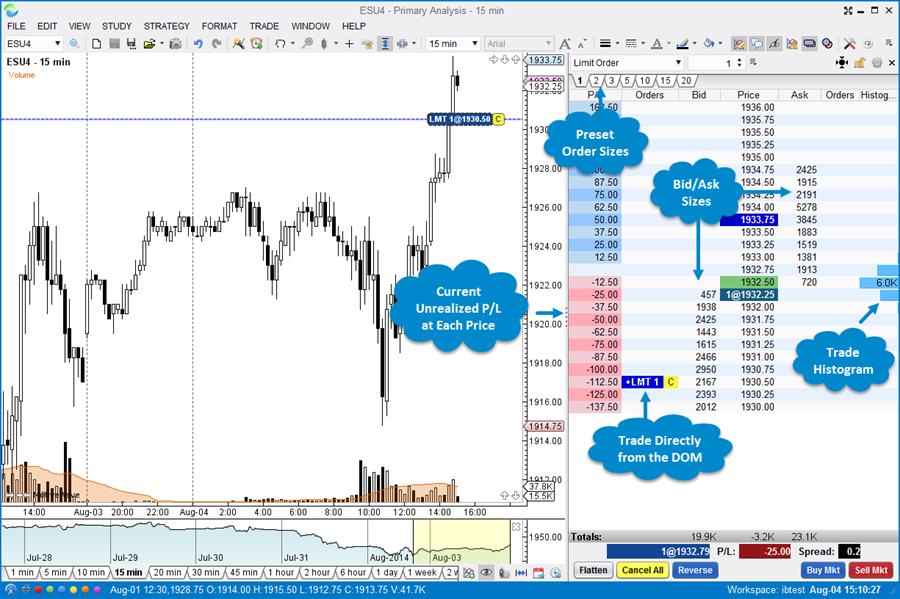
Depth Of Market (DOM)
The Depth Of Market (DOM) panel displays bid and ask sizes beyond the best bid/ask in a tabular format. Orders can be placed and managed directly from the DOM and current profit/loss of open positions are displayed for each price level. The DOM may also be opened in a separate window for convenience.
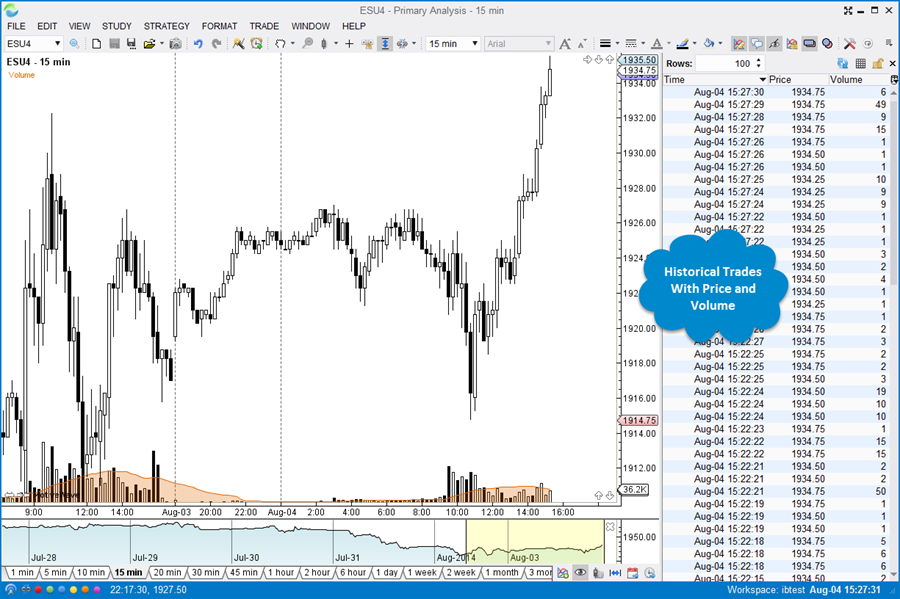
Time and Sales
Display historical time and sales information by using the Time and Sales panel directy from a chart.
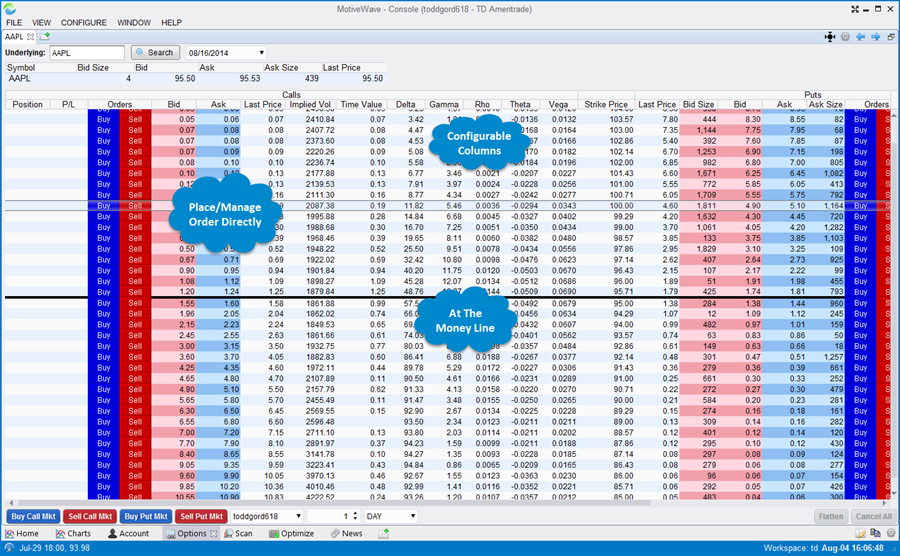
Option Chains
Trade options using our convenient Option Chain feature.
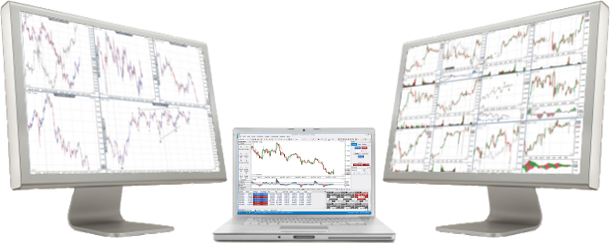
Multiple Monitor Support
MotiveWave was designed from the beginning with Multiple Monitors in mind.
- Display dozens of graphs simultaneously
- Unique 'Tile Windows' Feature
- Remembers Window Positions on Exit
- Compact Mode Optimizes Screen Space
- Dialogs Snap To Active Window
- Charts Move to Primary Monitor When Secondary Monitor is Disconnected
Tile Windows
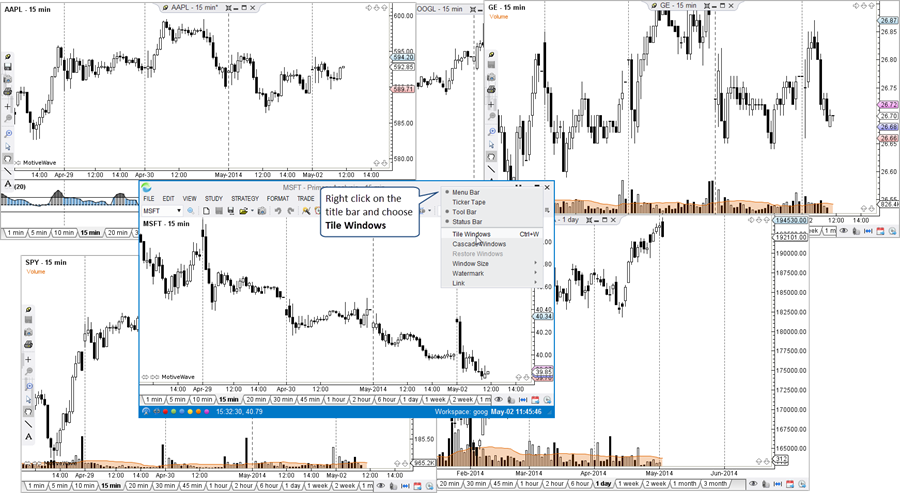
Use our unique Tile Windows feature to organize your charts on a specific monitor. Just right click on the title bar and choose "Tile Windows". The chart windows will be organized on the monitor to optimize the screen space.
Before Tiling
After Tiling